Anyone else having difficulty Signing In to Bulk Reef Supply?

  • Thread starter Thread starter Dom
  • Start date Start date
  • Tagged users Tagged users None

Dom

Theoretical Reef Keeper
View Badges
Joined
Apr 29, 2016
Messages
7,846
Reaction score
8,296
Location
NY
Rating - 0%
0   0   0
Yes, suddenly (in the last week) there is no sign in option when I visit the site. This only happens when I use my Safari browser. I can use Firefox if I had to.

I've tried clearing my history and cache with no luck. I'm wondering if BRS made some updates to their site which changed its functionality.

Anyone else with Safari having an issue?
 
Just tested from my iPhone. No issues

Yes... I deleted history and cache as recommended by BRS, but no luck AND now my history is gone too!

I don't know what's changed; I just ordered from them last week.

I'll just use a different browser for them.

Thank you!
 
It worked fine for me.
Yes, suddenly (in the last week) there is no sign in option when I visit the site. This only happens when I use my Safari browser. I can use Firefox if I had to.

I've tried clearing my history and cache with no luck. I'm wondering if BRS made some updates to their site which changed its functionality.

Anyone else with Safari having an issue?
@Bulk Reef Supply can you help with this?
 
I haven’t tried recently. We can figure it out. What credit card did you want to use and what are you going to purchase?
:rolleyes: :)
 
I bought a skimmer, and red sea 50 light from them yesterday no problem.
 
I just signed out and signed back in with no problem.
 
Yes, suddenly (in the last week) there is no sign in option when I visit the site. This only happens when I use my Safari browser. I can use Firefox if I had to.

I've tried clearing my history and cache with no luck. I'm wondering if BRS made some updates to their site which changed its functionality.

Anyone else with Safari having an issue?

Sorry to hear that you're having issues! I haven't heard of any other reports of sign-in issues, but we'll absolutely take a look to see if there is something going on that we can fix. If you wouldn't mind sending us a PM with a screenshot of what your home page looks like, I can get this over to our tech team and they can start digging to find any potential problems.

The BRS homepage on Safari should look something like this, with the sign-in option at the very top.

1618593204375.png
 
Sorry to hear that you're having issues! I haven't heard of any other reports of sign-in issues, but we'll absolutely take a look to see if there is something going on that we can fix. If you wouldn't mind sending us a PM with a screenshot of what your home page looks like, I can get this over to our tech team and they can start digging to find any potential problems.

The BRS homepage on Safari should look something like this, with the sign-in option at the very top.

1618593204375.png

Hey! Thank you for responding back. I have tried the recommended suggestions with customer service, but the problem persists.

Screen Shot 2021-04-16 at 4.30.08 PM.png

You will notice two things:

1. Top Right Corner: The account avatar is present, but the words "sign-in" are missing.

2. The blue menu bar across the top is missing; the one that offers sub menus for different categories such as "plumbing" or "Lighting". It's just a blue band.

This issue is only while using Safari on my MacBook Pro. The page works perfectly using FireFox on my MacBook, so I know its on my end. I'm just trying to get it working.

Its a small thing, but sometimes the small things make the biggest difference.

Dom
 
Macbook and safari. Exact same problem as OP. Using chrome with no problem now, but a few days ago, buttons to add to cart weren't working. Clearing cache fixed it in chrome.
 

Attachments

  • Screen Shot 2021-04-17 at 12.13.24 AM.png
    Screen Shot 2021-04-17 at 12.13.24 AM.png
    474.4 KB · Views: 3
Hey! Thank you for responding back. I have tried the recommended suggestions with customer service, but the problem persists.

Screen Shot 2021-04-16 at 4.30.08 PM.png

You will notice two things:

1. Top Right Corner: The account avatar is present, but the words "sign-in" are missing.

2. The blue menu bar across the top is missing; the one that offers sub menus for different categories such as "plumbing" or "Lighting". It's just a blue band.

This issue is only while using Safari on my MacBook Pro. The page works perfectly using FireFox on my MacBook, so I know its on my end. I'm just trying to get it working.

Its a small thing, but sometimes the small things make the biggest difference.

Dom

Thank you for the detailed message and screenshot. I've created a ticket with our tech team to see if they have any advice. In the mean time, have you tried clearing cache and cookies? In a majority of cases, that does the trick.

 
Thank you for the detailed message and screenshot. I've created a ticket with our tech team to see if they have any advice. In the mean time, have you tried clearing cache and cookies? In a majority of cases, that does the trick.

That was the suggestion of customer service, but the problem persists. I mentioned that in the OP.
 
That was the suggestion of customer service, but the problem persists. I mentioned that in the OP.
Thank you, I will stay on top of the ticket with our IT team and report feedback here. Let us know if anything else comes up.
 
Hey! Thank you for responding back. I have tried the recommended suggestions with customer service, but the problem persists.
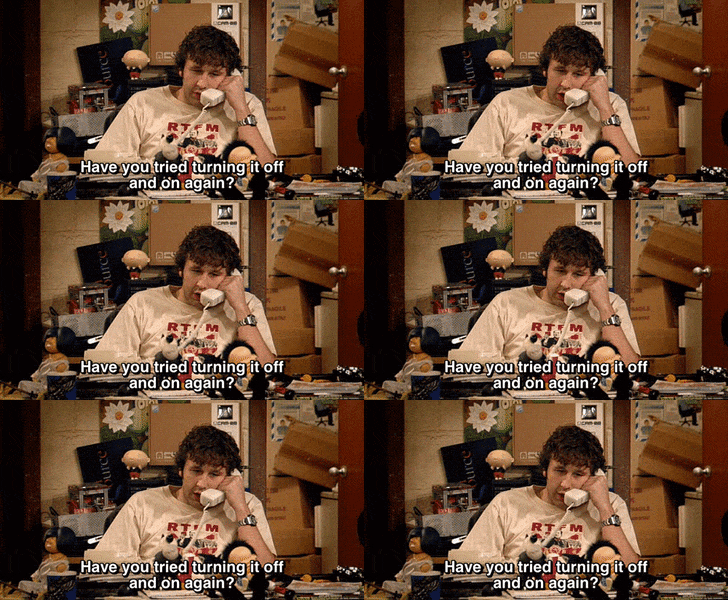
british comedy GIF
 
@Dom I just talked with our IT team here and we are unable to recreate the problem. We are more than happy to take the order via phone and the good news is you can access it via a different browser.

I do have a couple of questions for you to see if we can narrow things down and try to get it recreated in house to diagnose:

> After closing the browser and clearing cache/cookies today, is it still a problem?
> Is the internet connection solid? Any possible delays or slowdowns?
> What MAC OS are you using and what Safari version? We are thinking it is related to a specific version; at least that is what the IT team is suspecting and why we cannot recreate it on our end.

I just checked on my personal MacBook and on my iPhone, seems to work as normal for me. Sort of points in that it is a specific combo/version that might be experiencing the issue. Fingers crossed things are better today but either way, we are here and look forward to hearing back.
 

TOP 10 Trending Threads

HOW MUCH DOES A FISH’S FEEDING REQUIREMENTS AFFECT YOUR STOCKING DECISIONS?

  • A lot! - I avoid fish that require frequent or specialized feeding

    Votes: 12 27.3%
  • Quite a bit, but an automatic feeder can change my answer

    Votes: 6 13.6%
  • It depends on whether my nutrient export can handle it

    Votes: 6 13.6%
  • It depends on how badly I want the fish

    Votes: 11 25.0%
  • Not much. I’m willing to adjust my routine

    Votes: 9 20.5%
  • Not at all. Feeding demands don’t limit my stocking choices

    Votes: 8 18.2%
  • I usually learn about the demanding feeding schedule after buying the fish!

    Votes: 2 4.5%
  • I haven’t really considered this before

    Votes: 4 9.1%
  • Something else (see my comments in the thread)

    Votes: 1 2.3%
Back
Top
Home
Post thread…
Market
What's new