



- Joined
- Oct 14, 2026
- Messages
- 1
- Reaction score
- 1
- What state or country do you live in
- Maryland
Hey all,
Some background first. I'm a structural engineer by day, and I got into reefing a while ago with a 75 gallon. Like most of us, I spent the first year staring at the tank wondering whether the back corner was getting any flow, why detritus kept piling up in the same spot, and whether that Acro I just bought was going to get enough light where I put it. Every answer seemed to be "move the pump or lower the light and see what happens," and then wait a couple of weeks.
At work we use simulation software all the time to figure out how things behave before we build them, so I started wondering if I could do the same thing for a reef tank. That turned into a side project, and the side project got a bit out of hand. It's now at a point where I think other people could get some use out of it, so here it is. It's called ReefFlow, and it's going to be free.
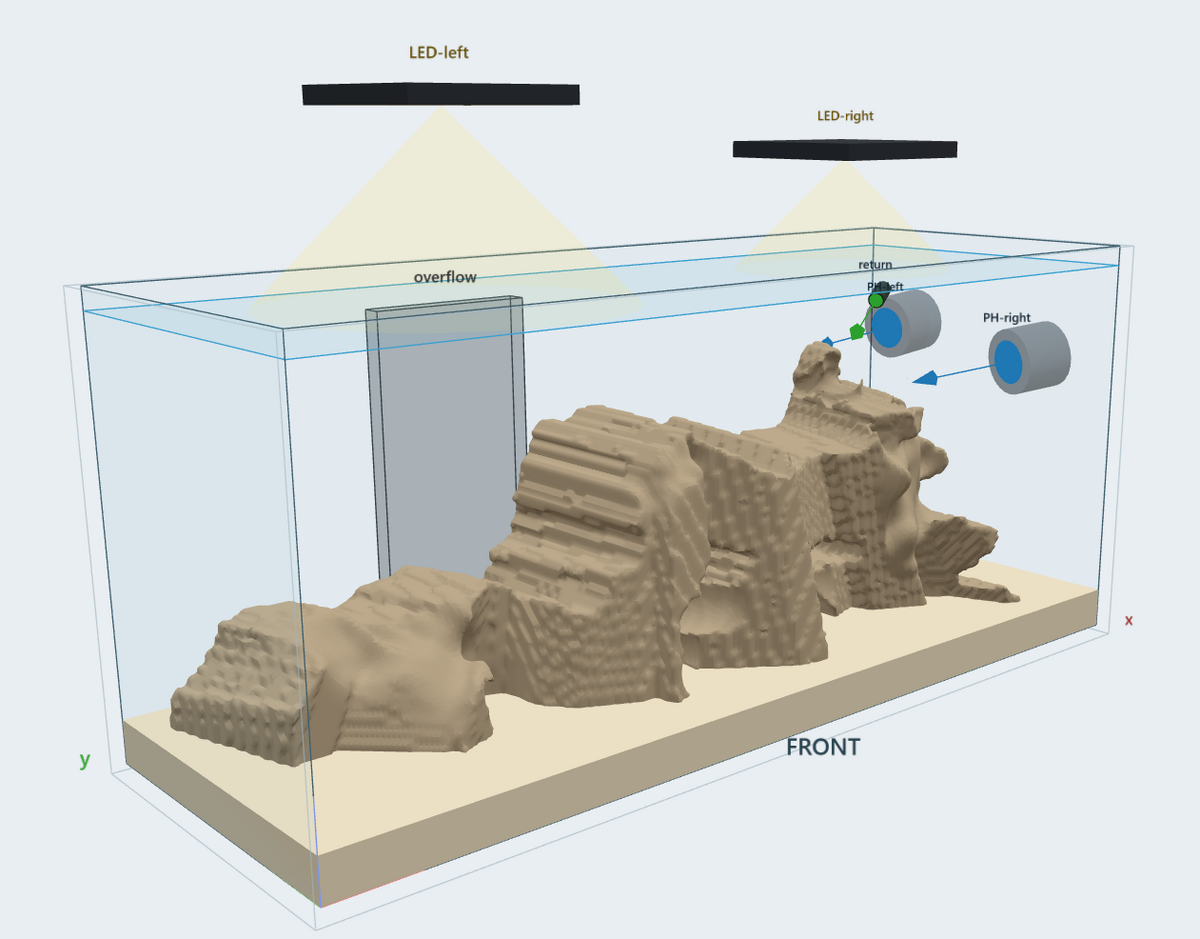
You set up a model of your tank with your rockscape, powerheads, return, overflow and lights, and it runs two simulations on your PC.
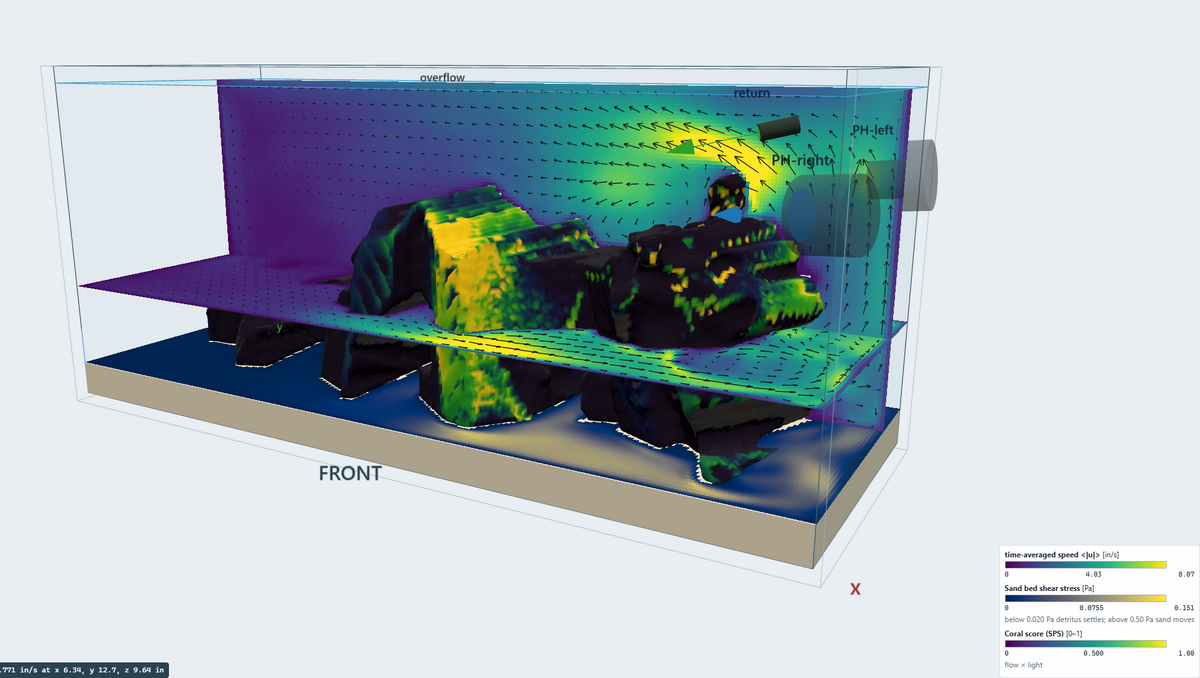
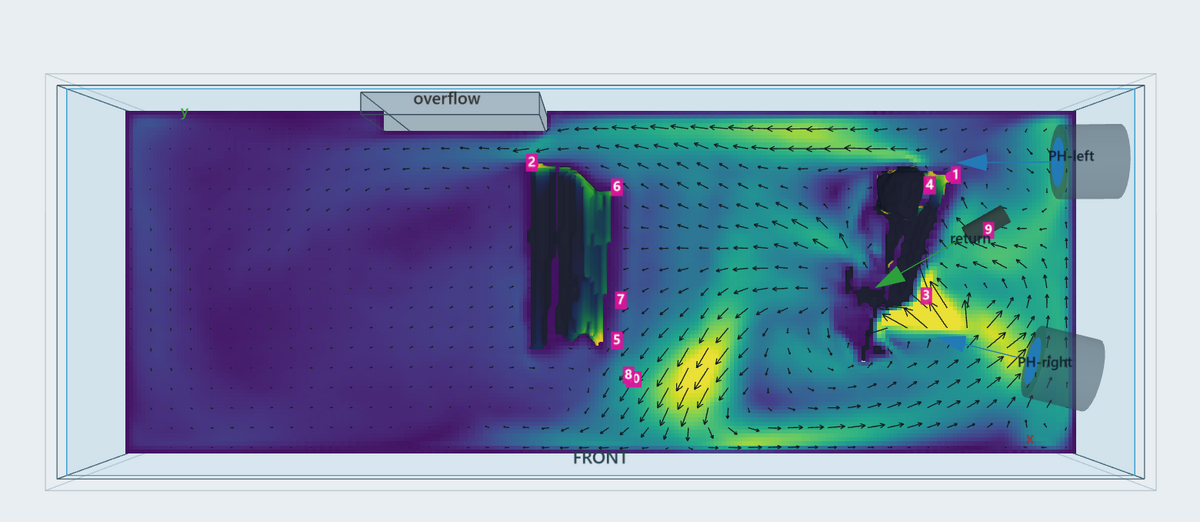
The first one is water flow. It works out how water moves through and around your rock, and from that you get maps of dead spots, where detritus is likely to settle on the sand, how long water hangs around in different parts of the tank before it gets to the overflow, and how much flow a coral would actually feel at any spot on the rock.
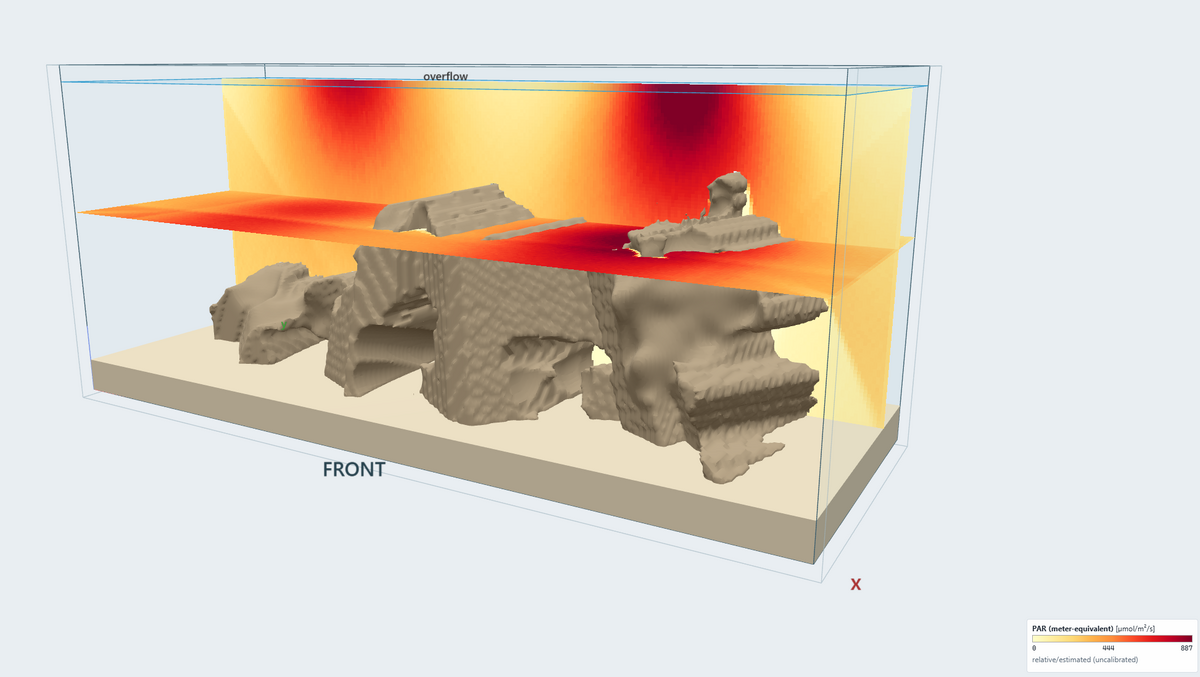
The second one is light. It traces light from your fixtures down through the surface and the water, including bouncing off the glass and shadows cast by the rock, and gives you PAR and DLI maps over the whole scape. If you've got a PAR meter you can calibrate it to your own readings.
It then puts the two together and scores spots on the rock for SPS, LPS and softies.
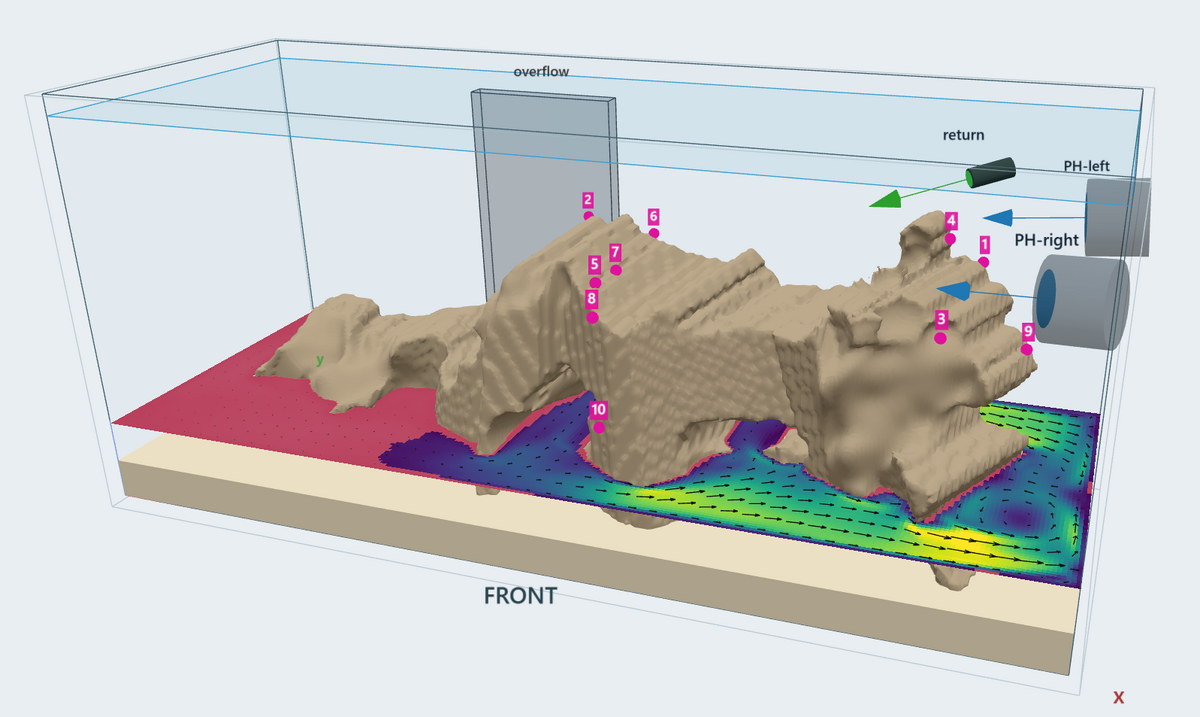
The part I use most is comparing two runs. Simulate the tank as it is, then move a powerhead or change its angle or raise the light, run it again, and it shows you what actually changed. That's really what I wanted from the start: an answer before I start rearranging things in a tank full of coral.
This was the hardest part to get right. Here's what it can do right now:
It runs in your web browser but everything stays on your own computer. Nothing gets uploaded, and it doesn't need the internet once it's installed. It's Windows for now, and you really want a decent graphics card. It will run without one, just very slowly. On my RTX 3070, a quick run of a 75 gallon takes about 5 minutes and a more detailed one about 15.
Download link is coming soon.
I'm not selling anything. I built this for my own tank, and I'm putting it out there for the community because I think it could help other people too. Happy to answer questions about how it works or what it can and can't tell you.
Thanks for reading!


Some background first. I'm a structural engineer by day, and I got into reefing a while ago with a 75 gallon. Like most of us, I spent the first year staring at the tank wondering whether the back corner was getting any flow, why detritus kept piling up in the same spot, and whether that Acro I just bought was going to get enough light where I put it. Every answer seemed to be "move the pump or lower the light and see what happens," and then wait a couple of weeks.
At work we use simulation software all the time to figure out how things behave before we build them, so I started wondering if I could do the same thing for a reef tank. That turned into a side project, and the side project got a bit out of hand. It's now at a point where I think other people could get some use out of it, so here it is. It's called ReefFlow, and it's going to be free.
You set up a model of your tank with your rockscape, powerheads, return, overflow and lights, and it runs two simulations on your PC.
The first one is water flow. It works out how water moves through and around your rock, and from that you get maps of dead spots, where detritus is likely to settle on the sand, how long water hangs around in different parts of the tank before it gets to the overflow, and how much flow a coral would actually feel at any spot on the rock.
The second one is light. It traces light from your fixtures down through the surface and the water, including bouncing off the glass and shadows cast by the rock, and gives you PAR and DLI maps over the whole scape. If you've got a PAR meter you can calibrate it to your own readings.
It then puts the two together and scores spots on the rock for SPS, LPS and softies.
The part I use most is comparing two runs. Simulate the tank as it is, then move a powerhead or change its angle or raise the light, run it again, and it shows you what actually changed. That's really what I wanted from the start: an answer before I start rearranging things in a tank full of coral.
This was the hardest part to get right. Here's what it can do right now:
- Take a few photos of your tank (front, side and top, water and all) and it builds a 3D model of the rock. It accounts for the glass and water bending the image. You can send photos straight from your phone over your home Wi-Fi.
- If your rock is dry, say for a new build, you can import a 3D scan from a phone scanning app.
- Build a scape from simple shapes, which is handy for planning a new tank.
- Sculpt any of the above: push, pull, smooth, and drill caves or holes.
It runs in your web browser but everything stays on your own computer. Nothing gets uploaded, and it doesn't need the internet once it's installed. It's Windows for now, and you really want a decent graphics card. It will run without one, just very slowly. On my RTX 3070, a quick run of a 75 gallon takes about 5 minutes and a more detailed one about 15.
Download link is coming soon.
I'm not selling anything. I built this for my own tank, and I'm putting it out there for the community because I think it could help other people too. Happy to answer questions about how it works or what it can and can't tell you.
Thanks for reading!