Profilix 4 Lost Data for Graphs

KStatefan

5000 Club Member
View Badges
Joined
Jun 24, 2015
Messages
5,593
Reaction score
5,018
Location
MHK
Rating - 0%
0   0   0
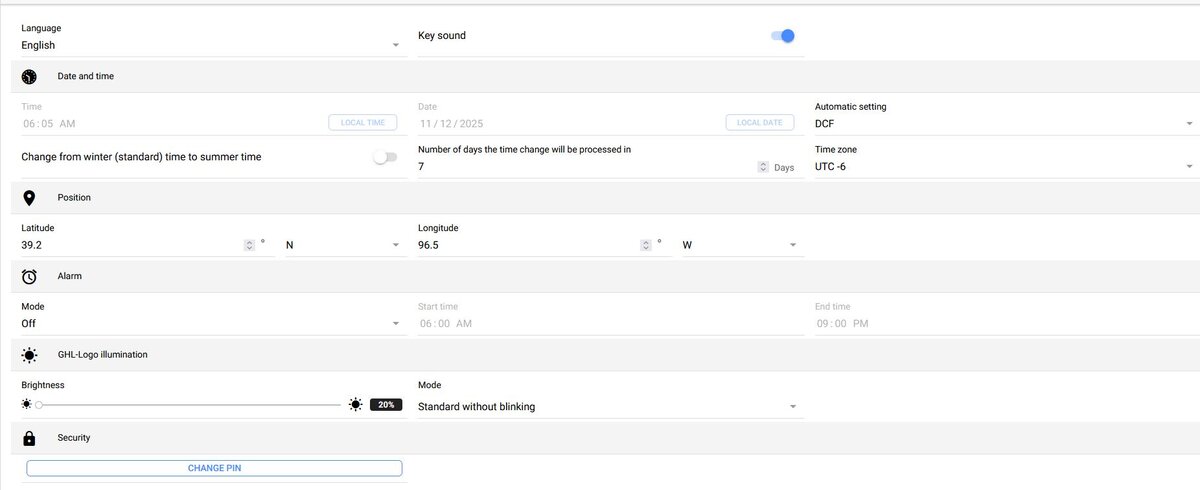
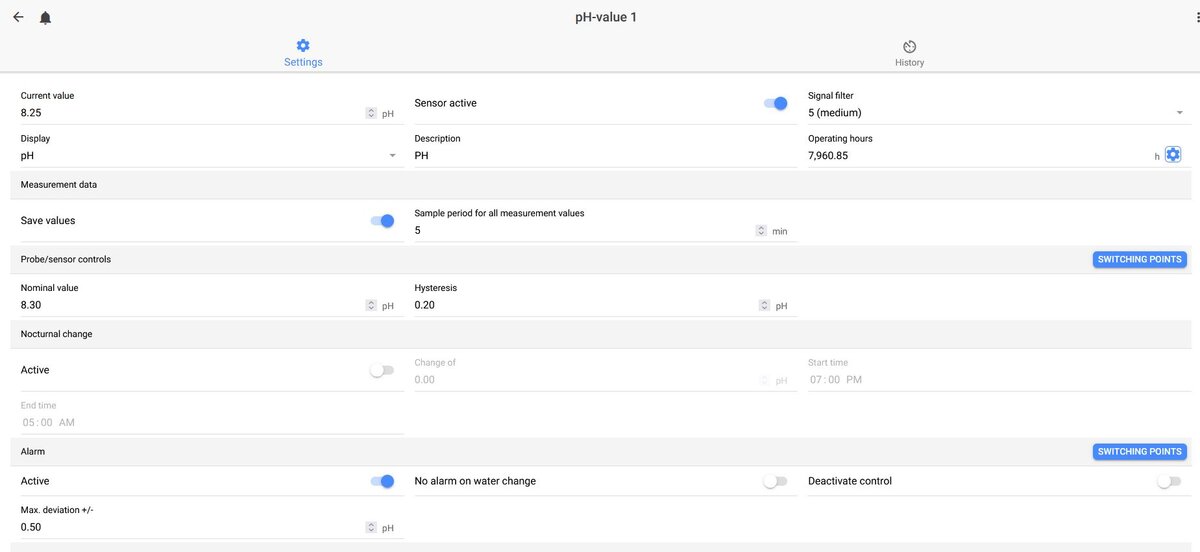
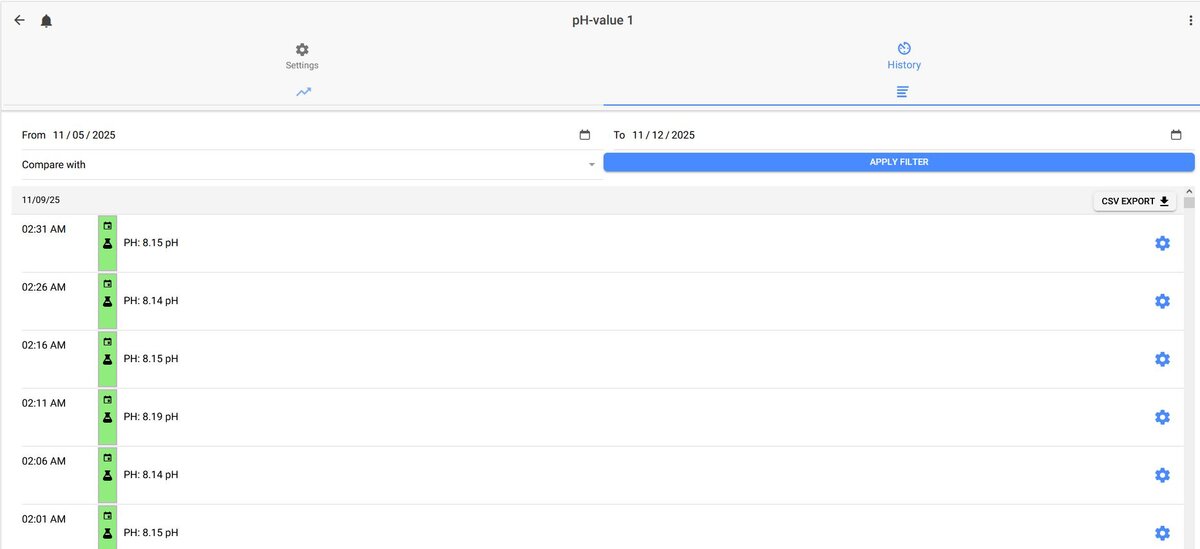
My P4 stopped saving data for the graphs. The last data is from 11/9/2025 at 2:31 AM I did not change anything at that time but I did change the time over the weekend but not a 2:31 AM. I had it set to change automatically in 7 days but had not changed yet. I have my second P4 set the same way and it is working correctly.

Any idea where to look?
@Lasse @BeanAnimal @Gaël
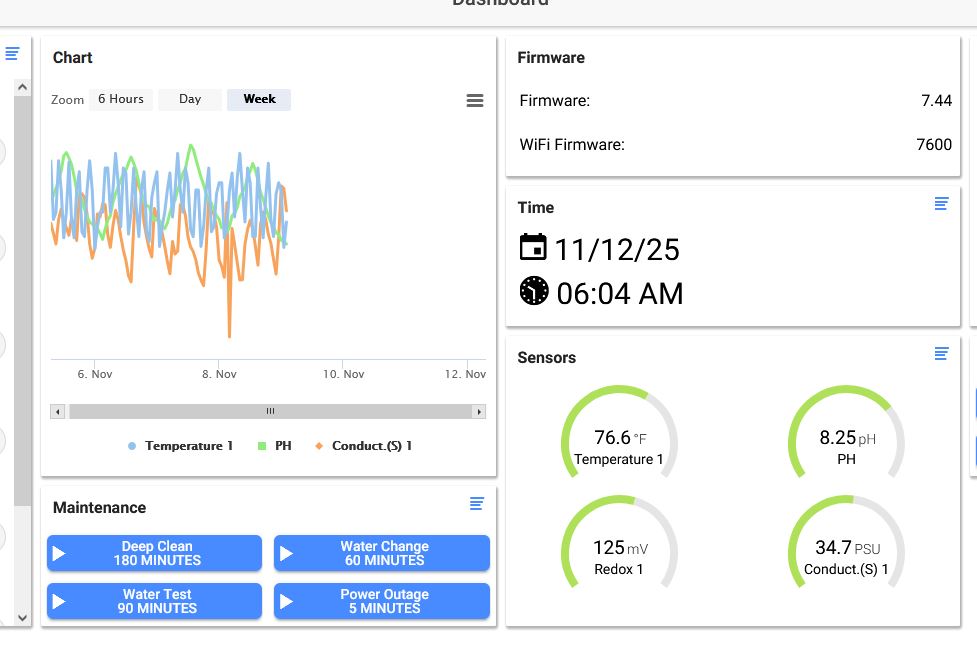
Chart1.JPG


Chart2.JPG


chart3.JPG


Chart4.JPG
 
OP
OP
KStatefan

KStatefan

5000 Club Member
View Badges
Joined
Jun 24, 2015
Messages
5,593
Reaction score
5,018
Location
MHK
Rating - 0%
0   0   0
I submitted a ticket but it might be fixed now. I had orginally changed the "Automatic setting" to none but this morning changed it to DCF like my second P4 was and now it looks like is is recording.

Chart5.JPG
 

BeanAnimal

7500 Club Member
View Badges
Joined
Jul 16, 2009
Messages
9,417
Reaction score
15,771
Rating - 0%
0   0   0
The DST functionality of these controllers continues to be a problem for me. I gave up and simply turned it off and deal with the timezone warning for 6 months of the year.

@KStatefan -- my chart data does not appear to be broken, though I don't use the chart often, I find it hard to read and insanely buggy (hiding and showing series breaks it) and would prefer a chart per sensor or multiple configurable charts, but that is not here or there.

@Gaël @Matthias Gross

Is this DST functionality something that we can talk about? At the very least having the ability to simply fully suppress all timezone warnings and notifications?
 
Last edited:

ingchr1

Valuable Member
View Badges
Joined
Sep 9, 2018
Messages
1,720
Reaction score
1,256
Rating - 0%
0   0   0
The DST functionality of these controllers continues to be a problem for me. I gave up and simply turned it off and deal with the timezone warning for 6 months of the year...
Posted this before, but here is what I do when the clocks change to get the correct time and clear the time not matching local time warning. I do not use the "Change from winter to summer time" check box. Takes a minute or less to complete these steps.
  1. Set Automatic Setting to None (from NTP).
  2. Set to PC-Time.
  3. Set Time Zone. (I am on the east coast: Summer UTC-4, Winter UTC -5)
  4. Save settings to controller.
  5. Set Automatic Setting back to NTP.
  6. Save settings to controller.
1763222996255.png
 

TOP 10 Trending Threads

HOW DO YOU ADJUST YOUR CUC AS ALGAE DISAPPEARS?

  • Capture and re-home CUC

    Votes: 6 7.5%
  • Increase white light/hours in tank to spur algae growth to feed CUC

    Votes: 5 6.3%
  • Feed nori to support CUC

    Votes: 29 36.3%
  • Feed herbivore pellets to support CUC

    Votes: 26 32.5%
  • Allow attrition to balance CUC and algae

    Votes: 36 45.0%
  • Provide macro algae to feed CUC

    Votes: 6 7.5%
  • Introduce CUC predators

    Votes: 1 1.3%
  • Other (please explain)

    Votes: 7 8.8%
Back
Top