

Seneye help

  • Thread starter Thread starter OA3B
  • Start date Start date
  • Tagged users Tagged users None

OA3B

Active Member
View Badges
Joined
Nov 4, 2018
Messages
125
Reaction score
137
What state or country do you live in
West Virginia
Rating - 0%
0   0   0
Hello reefers

I need help with my seneye reef device. I have downloaded the application, all went fine. I can log in and all but when I go to get my readings. I clicked on the free so that I can move all over the tank and it done the countdown to take measurement and it say done. But I don’t have no values showing. Can any one can help me past this hurdle?
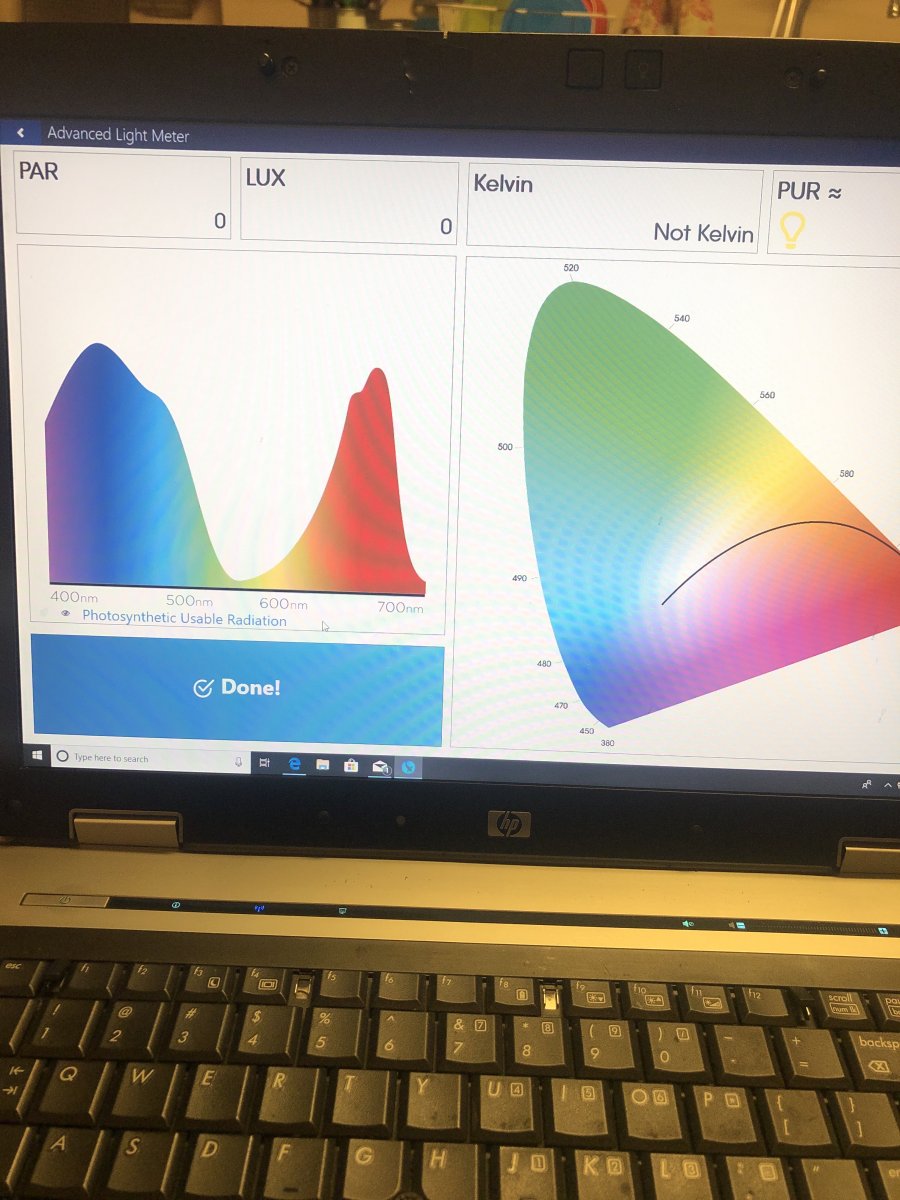
image.jpg
 
I'm sorry, I cannot help much. I just ordered a seneye and will be setting it up this weekend or early next week
 
Hello reefers

I need help with my seneye reef device. I have downloaded the application, all went fine. I can log in and all but when I go to get my readings. I clicked on the free so that I can move all over the tank and it done the countdown to take measurement and it say done. But I don’t have no values showing. Can any one can help me past this hurdle?
image.jpg
 
It does not appear the Seneye shows any readings. You would see the Par, Lux and Pur readings. Are you getting readings for temperature and the other parameters it monitors. If not, you may need to restart your computer.
When you save a light reading it does not show in this program. It only shows in the Seneye.me online account (see photo). Please note that you should have installed the Seneye software without the device being plugged in. If you did not do that, remove the software, reinstall and then plug the device in. Let me know how it goes.
Greg
14FF4C21-EFEC-446A-8AAD-C90BD4C28030.png
 
It does not appear the Seneye shows any readings. You would see the Par, Lux and Pur readings. Are you getting readings for temperature and the other parameters it monitors. If not, you may need to restart your computer.
When you save a light reading it does not show in this program. It only shows in the Seneye.me online account (see photo). Please note that you should have installed the Seneye software without the device being plugged in. If you did not do that, remove the software, reinstall and then plug the device in. Let me know how it goes.
Greg
14FF4C21-EFEC-446A-8AAD-C90BD4C28030.png

Is this what you’re speaking of?
13C1B43F-0121-4B94-B9BC-85CD5A3B114D.jpeg
 
Yes. Notice there’s an exclamation point near the monitor picture. It means that you are not connected. Did you try the steps I mentioned.
 
Yes. Notice there’s an exclamation point near the monitor picture. It means that you are not connected. Did you try the steps I mentioned.

Thanks for your help. I didn’t realize that you have to restart your laptop after each install. I reinstalled the app, restarted the laptop, logged in, plugged in sud and restarted the laptop. Working perfectly now. Thanks again

Happy Holidays
 

TOP 10 Trending Threads

WHAT DO YOU ALWAYS RUN OUT OF AT THE WORST TIME?

  • Salt mix

    Votes: 17 18.5%
  • Fish or coral food

    Votes: 5 5.4%
  • Test kits or reagents

    Votes: 10 10.9%
  • Filter media or replacement fleece

    Votes: 5 5.4%
  • RO/DI filters or supplies

    Votes: 14 15.2%
  • Fragging and repair supplies, like glue or epoxy

    Votes: 10 10.9%
  • I keep a backup of everything

    Votes: 24 26.1%
  • Other (Post in the comments)

    Votes: 7 7.6%
Back
Top
Home
Post thread…
Market
What's new