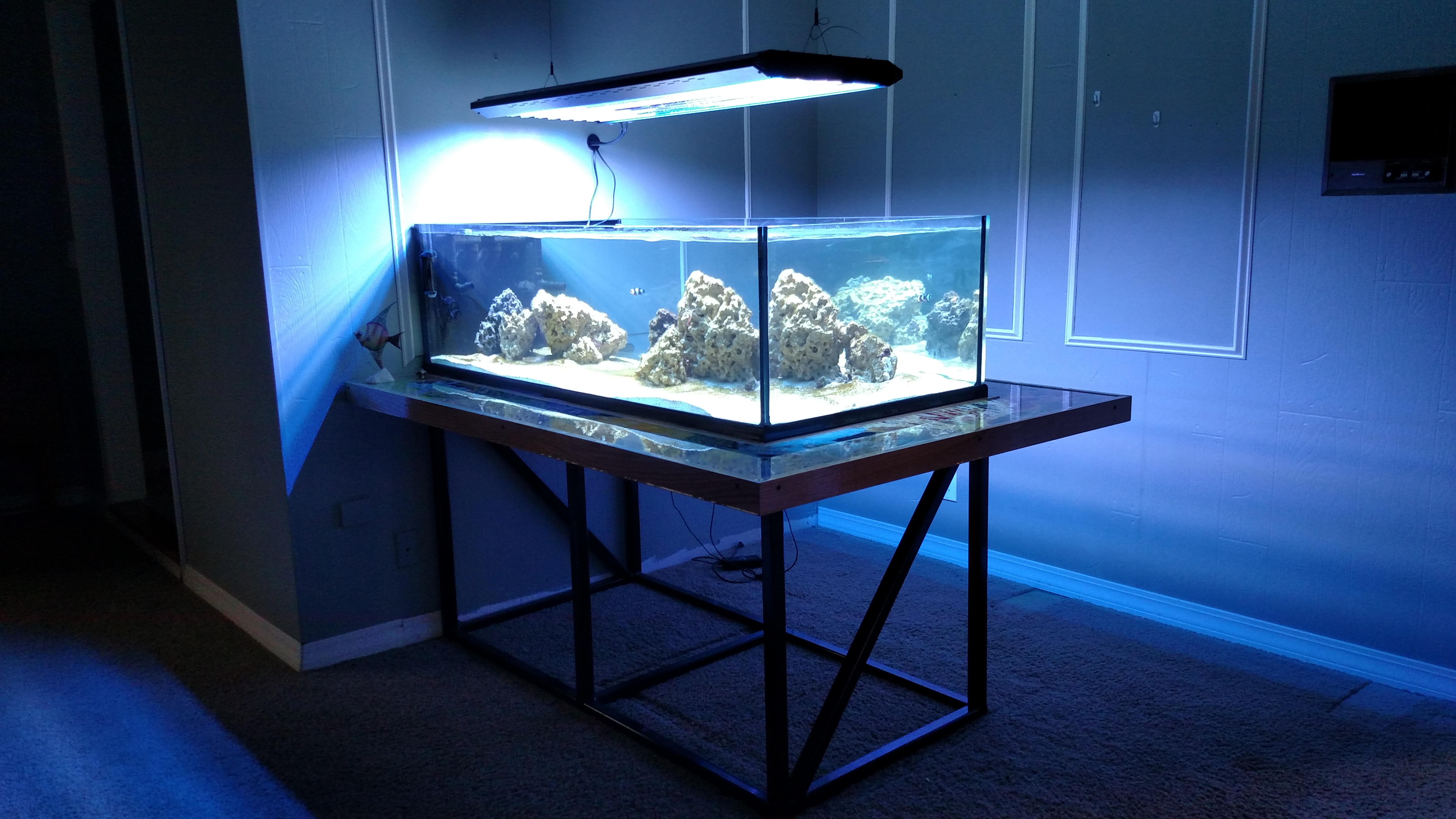
Which software for tank builds?

xaflatoonx

Valuable Member
View Badges
Joined
Dec 28, 2015
Messages
1,201
Reaction score
1,672
Location
Houston, TX
Rating - 0%
0   0   0
On all these amazing DIY tank stand builds,
I see these sketches for the stand with perfectly sized 4x2s or 6x2s etc. color coded. And placed perfectly. What software is that?

I am starting to plan my wood stand. I would like to build something like that so I can show you guys here and get feedback. Can anyone please tell me what software is that?

Is it sketchup? Or something else.

 

Zephrant

Active Member
View Badges
Joined
Sep 14, 2017
Messages
111
Reaction score
76
Location
Spokane, WA
Rating - 0%
0   0   0
Sketchup drives me nuts. I'm used to AutoCAD, so having a sketch based program is not intuitive for me.

I like Fusion 360, also free, but it's a full CAD/CAM program, and might have a steep learning curve just for doing a stand drawings.

Look for deck design software- might find something online that would work for you.
 

MaddyP

'Til Reefdom Come...
View Badges
Joined
Jul 21, 2016
Messages
1,910
Reaction score
4,485
Location
Vancouver, WA
Rating - 0%
0   0   0
I prefer Spaceclaim for any 3D work, although it may not be available without cost. Fusion 360 is good too, but a little less intuitive. Even though you have mentioned using wood, if you are open to options Maycad is fantastic for aluminum t-slot design.
 

Mr_Robot

Community Member
View Badges
Joined
Aug 16, 2017
Messages
26
Reaction score
30
Rating - 0%
0   0   0
I use sketchup for the vast majority of my modeling needs. The learning curve is a bit steep but once you get the fundamentals down it's a breeze to model something relatively quickly.

Here's a tip: start with a basic wall, board, brace, etc and make the finished part a group. Then you can make the next part attached and "hide" the first, then it makes it easier to select the second part and make it a group.
Identical objects can be turned into a component, then any changes will be applied to the other components in the sketch.

A point of reference, I built these using sketchup.
Aquarium Stand V2.png


Aquarium Stand.png


Here's my current project - It will show up in the DIY forum as soon as I get the parts needed for automation
RODI Station.png

Message if you need advice!
 
Last edited:

Sleepydoc

Valuable Member
View Badges
Joined
Apr 10, 2017
Messages
1,425
Reaction score
1,251
Location
Minneapolis, MN
Rating - 0%
0   0   0
Another vote for Sketchup. Basic version is free and quite powerful. For quick drawings you can learn the basics fairly quickly. There's no iPad/tablet version, though, so you need a 'real' computer.
 

keddre

Well-Known Member
View Badges
Joined
Jun 10, 2015
Messages
985
Reaction score
577
Location
Ohio
Rating - 0%
0   0   0
I used sketch up. I like the ruler and how I can make boxes by typing in the dimensions
 

jsker

Reefing is all about the adventure
View Badges
Joined
Apr 11, 2015
Messages
25,095
Reaction score
77,778
Location
Saint Louis
Rating - 0%
0   0   0
I CAD everything, and yes it works on macbooks
 

Greybeard

2500 Club Member
View Badges
Joined
Feb 10, 2017
Messages
3,265
Reaction score
8,411
Location
Buffalo, MO
Rating - 0%
0   0   0
I use AutoCAD (Electrical) for work... have access to Inventor, and still use SketchUP for tank stuff. Why? Why not? One major benefit, if I'm working with someone else, I can be sure that they have, or can get, a copy of the software. Yes, it's a bit crude, in comparison, but once you're over the learning curve, it's just as fast. It is, after all, a sketch. A way to play around with ideas in virtual space. It's not a building plan you're going to hand to someone else, along with a pile of cash, and have them do the work. It's a hobby, who'd want to do that?

Using modeling software of some sort, I highly recommend. Allows you to take a concept, fine tune it, make all the changes that you want... without cost, and when you're ready, you can turn it into reality.

From this


To this

FTS1.jpg
 
OP
OP
xaflatoonx

xaflatoonx

Valuable Member
View Badges
Joined
Dec 28, 2015
Messages
1,201
Reaction score
1,672
Location
Houston, TX
Rating - 0%
0   0   0
Greybeard - that was so epic!
Thats exactly what i hope to do once i am done...

make a REALITY from a SKETCH and be proud of it.

very inspirational - thanks a bunch.
 

Greybeard

2500 Club Member
View Badges
Joined
Feb 10, 2017
Messages
3,265
Reaction score
8,411
Location
Buffalo, MO
Rating - 0%
0   0   0
Greybeard - that was so epic!
Thats exactly what i hope to do once i am done...

make a REALITY from a SKETCH and be proud of it.

very inspirational - thanks a bunch.

Glad you like it. I'm _very_ happy with it, so far. Just wait 'till I get the shelving units done... I'm going with open front, light oak outside and trim, gloss white interior, glass shelves, and white LED's in the top of each unit. As soon as it cools down enough that I can stand to spend a few days in my (non air-conditioned) workshop :)
 

FranklinDattein

Active Member
View Badges
Joined
Nov 7, 2014
Messages
331
Reaction score
332
Location
Gold Coast, Australia
Rating - 0%
0   0   0
+1 for Fusion 360.
The learning curve wasn't too bad, what I learned can be used for 3D printing and CNC cutting, it is free, runs on macs, has easy online sharing and backup, designs are available on the phone with A360, it is parametric which allows for changing imensions by simply changing parameters, etc, etc.

I learned Skethup before I found Fusion and they are in different leagues.
 

TOP 10 Trending Threads

HOW DO YOU ADJUST YOUR CUC AS ALGAE DISAPPEARS?

  • Capture and re-home CUC

    Votes: 7 6.7%
  • Increase white light/hours in tank to spur algae growth to feed CUC

    Votes: 6 5.8%
  • Feed nori to support CUC

    Votes: 35 33.7%
  • Feed herbivore pellets to support CUC

    Votes: 36 34.6%
  • Allow attrition to balance CUC and algae

    Votes: 45 43.3%
  • Provide macro algae to feed CUC

    Votes: 6 5.8%
  • Introduce CUC predators

    Votes: 1 1.0%
  • Other (please explain)

    Votes: 11 10.6%
Back
Top