

Sign in to IO.ada, then click upper right my account. What does it say under username? That’s what you should be using.@rushbattle @Ranjib , Still getting this error even when the adafruit feature is disabled in the telemetry.
![]()
Follow along with the video below to see how to install our site as a web app on your home screen.
Note: This feature may not be available in some browsers.
Sign in to IO.ada, then click upper right my account. What does it say under username? That’s what you should be using.@rushbattle @Ranjib , Still getting this error even when the adafruit feature is disabled in the telemetry.

![]()
That's what I'm using, and still no dice. There are no spaces or special characters in the names of the devices or functions in the reef-pi, and I have yet to get a single feed into this thing. Should I generate a new AIO key? Could my pi-hole be getting in the way?Sign in to IO.ada, then click upper right my account. What does it say under username? That’s what you should be using.
I didnt have to do anything to my pihole to get it workingThat's what I'm using, and still no dice. There are no spaces or special characters in the names of the devices or functions in the reef-pi, and I have yet to get a single feed into this thing. Should I generate a new AIO key? Could my pi-hole be getting in the way?
Bummer, I would try to regenerate the key, and also double check that the box for io.ada telemetry is checked in telemetry tab in reef-pi.That's what I'm using, and still no dice. There are no spaces or special characters in the names of the devices or functions in the reef-pi, and I have yet to get a single feed into this thing. Should I generate a new AIO key? Could my pi-hole be getting in the way?
I didnt have to do anything to my pihole to get it working
Bummer, I would try to regenerate the key, and also double check that the box for io.ada telemetry is checked in telemetry tab in reef-pi.
Sign in to IO.ada, then click upper right my account. What does it say under username? That’s what you should be using.
I didnt have to do anything to my pihole to get it working
Bummer, I would try to regenerate the key, and also double check that the box for io.ada telemetry is checked in telemetry tab in reef-pi.
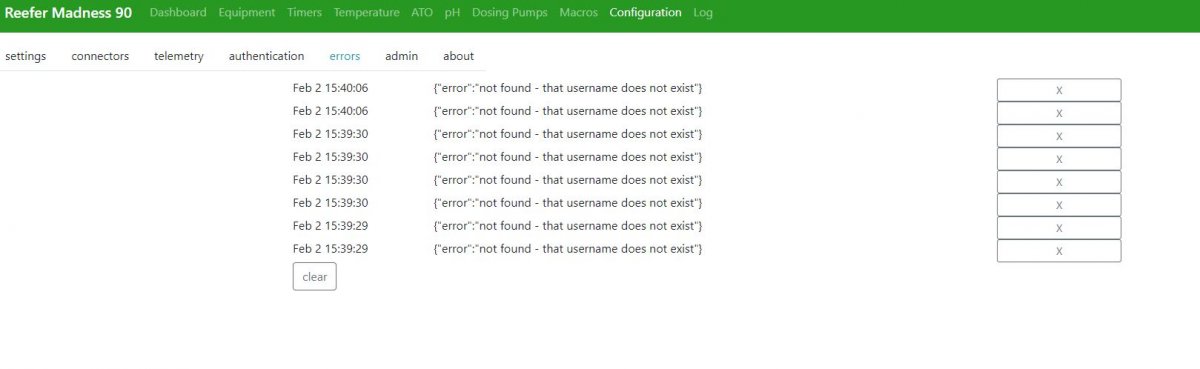
I think this is because you changed keys. It’s like a new account. Takes a while to start receiving data for som reason. reef-pi doesn’t show the key after putting it in.Hey, should the adafruit key be in the interface for the reef-pi? I input it, it takes it, but when I leave and come back, it's gone. Also, I'm getting a new error since I generated a new AIO key.
![]()
yes , thats expected. Sensitive things like email password and adafruit token are not shown in the UI. If the update button does not throw error, it means you arer good, reef-pi has successfully updated the keys,Hey, should the adafruit key be in the interface for the reef-pi? I input it, it takes it, but when I leave and come back, it's gone. Also, I'm getting a new error since I generated a new AIO key.
![]()
Nope. Not at all. Still no telemetry into adafruit.The adafruit.io issue was resolved ?
The adafruit.io issue was resolved ?
None whatsoever!... and no pi-holes were damaged in this process right?!
None whatsoever!
One instance of sumptemp2. The other is labeled sumptemp.You have 2 instances of SumpTemp2, try deleting one that has nothing connected.







