




revhtree
Owner Administrator
View Badges
Staff member
Super Moderator
Ultimate Member
Reef Squad
Excellence Award
Platinum Sponsor
Photo of the Month
R2R App User
Toy Sponsor
Article Contributor
Hospitality Award
Article Administrator
Black Friday Sponsor
Industry Professional
My Aquarium Showcase
- Joined
- May 8, 2006
- Messages
- 55,126
- Reaction score
- 123,433
Polls are an awesome way to get a general consensus on certain topics and subjects and all users have the ability to create them!
So how do you create a poll? I'm glad you asked!
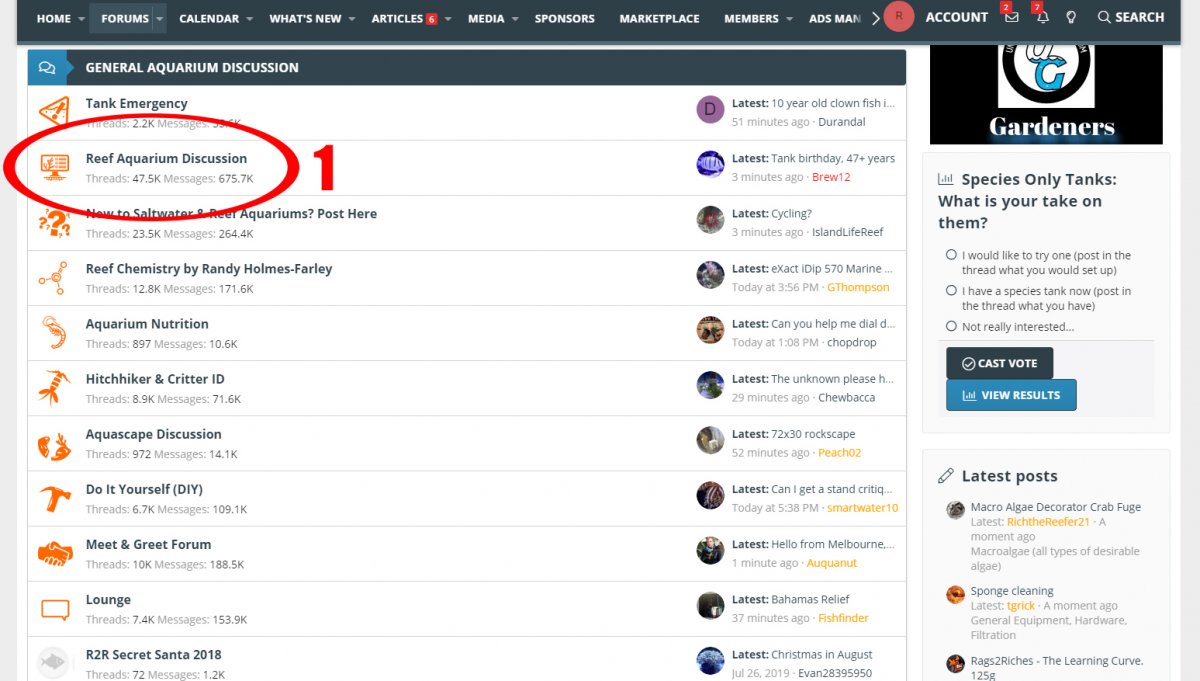
1. Choose the forum in which you would like to create your poll by clicking the "forum title name."
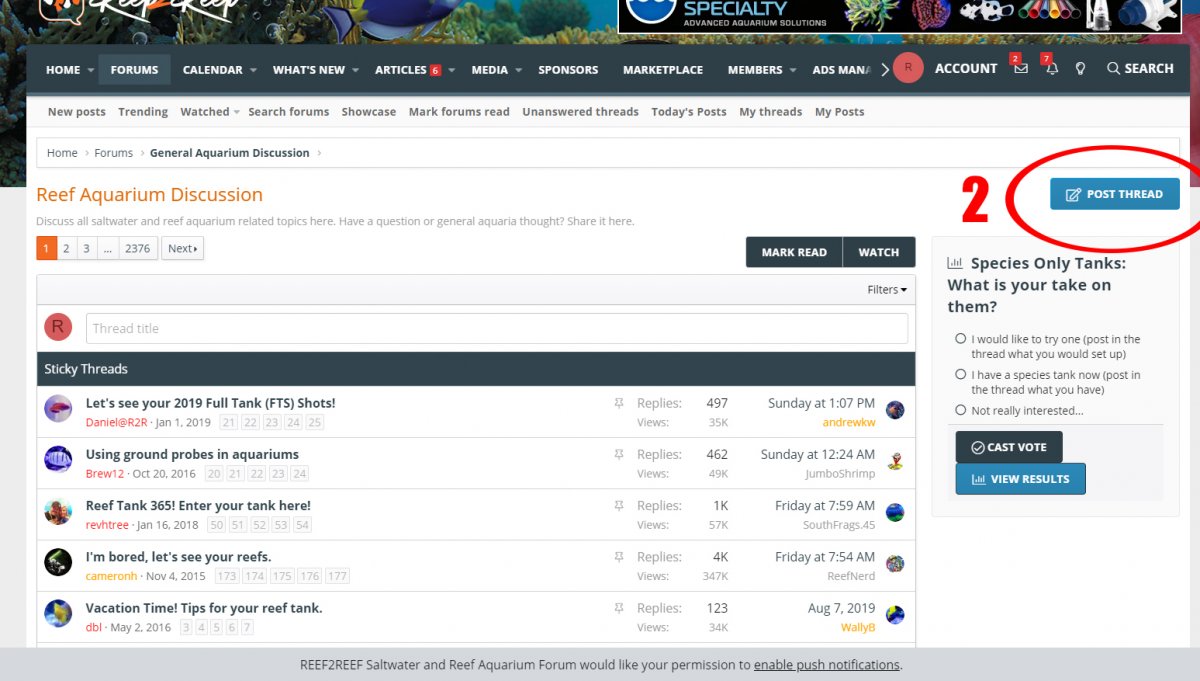
2. Choose the "Post Thread" link because even though you're creating a poll you're also creating a thread as well.
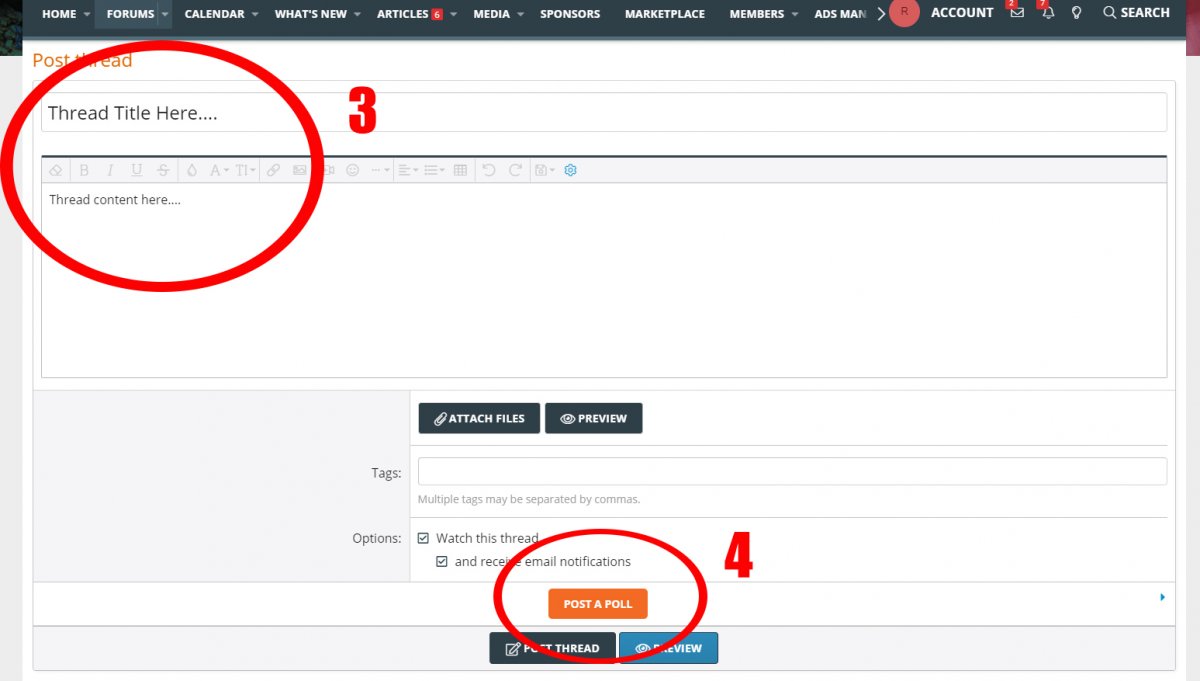
3. Enter your Thread Title and Thread Content.
4. Choose the "Post A Poll" button.
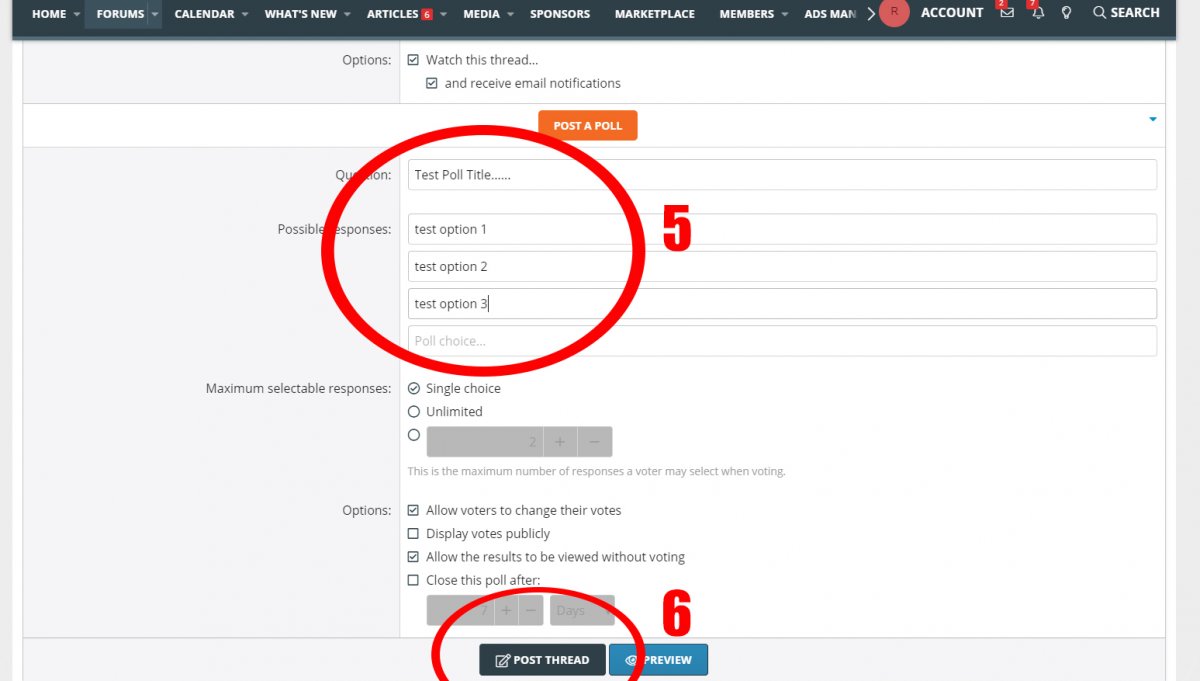
5. Enter your Poll Question Title as well as each option for the choices you want people to be able to choose from.
6. Click the "Post Thread" button and you're done!
So how do you create a poll? I'm glad you asked!
1. Choose the forum in which you would like to create your poll by clicking the "forum title name."
2. Choose the "Post Thread" link because even though you're creating a poll you're also creating a thread as well.
3. Enter your Thread Title and Thread Content.
4. Choose the "Post A Poll" button.
5. Enter your Poll Question Title as well as each option for the choices you want people to be able to choose from.
6. Click the "Post Thread" button and you're done!

















