

Naptune apex app question

  • Thread starter Thread starter zheka757
  • Start date Start date
  • Tagged users Tagged users None

zheka757

2500 Club Member
View Badges
Joined
Oct 11, 2021
Messages
4,620
Reaction score
30,335
Location
North Port
Rating - 0%
0   0   0
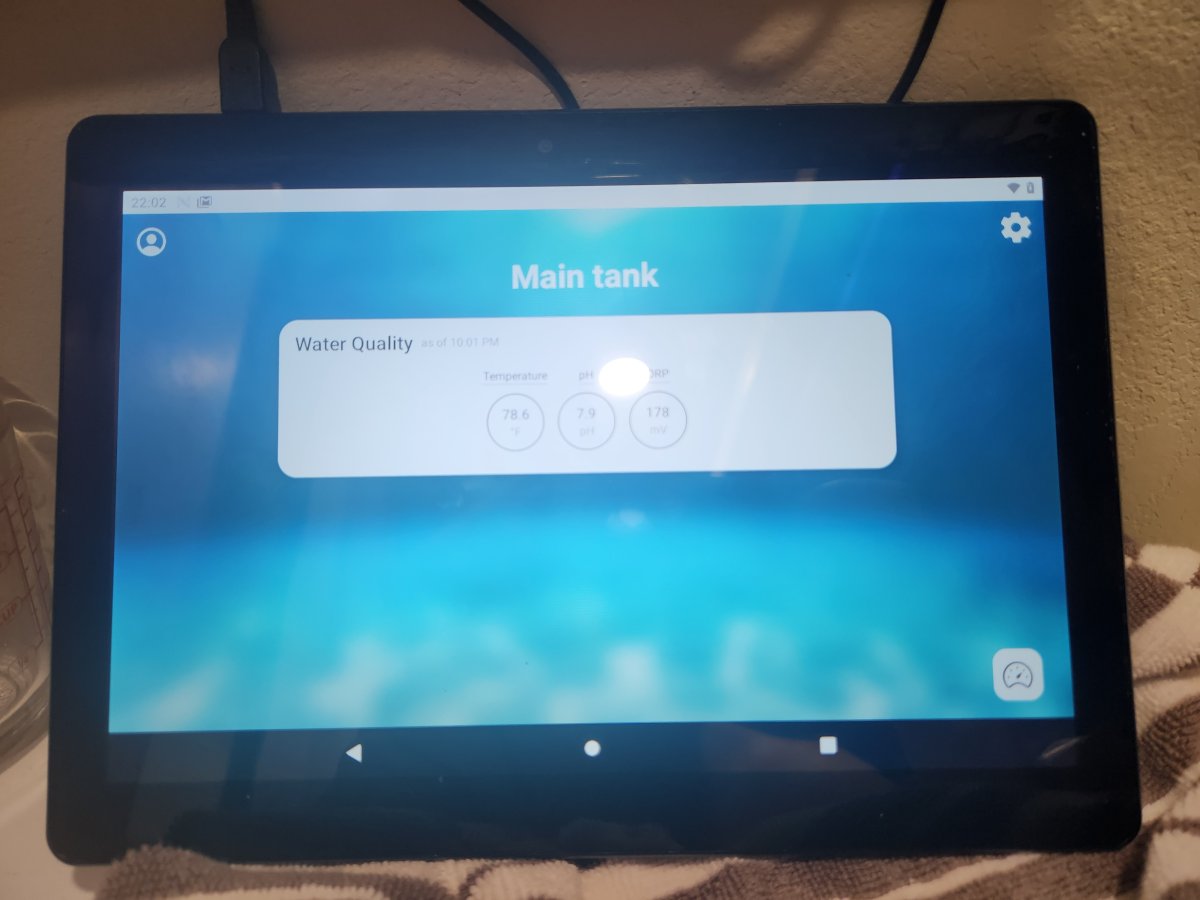
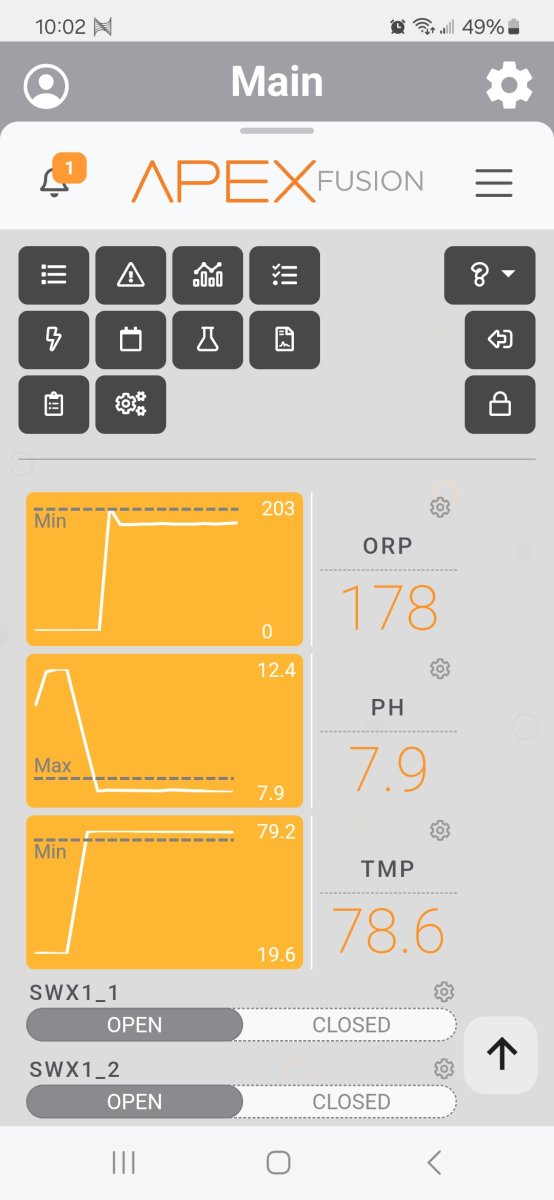
Just got apex a3 pro, and I think I only know about 10% how to use it so far. I have it on my phone and on Android tablet, on my phone it looks like this (picture 1). On tablet it looks like this (picture 2) how can I make it on this Android tablet to look like on phone?
1000000443.jpg

1000000446.jpg
 
I don’t have any android devices but to me it looks like a design difference between the platform’s. Is it possible you are not running the Beta UI on the android?

 
On tablet if I click on Guage bottom right corner, it will just take me to this screen.
1000000447.jpg
 
You are in the "beta" version in the app on the tablet. If you go to the first screen with the over view, hit the user icon in the top left then scroll down and you should be able to turn Beta UI to off and it will just load the main dashboard instead of the overview.
Screenshot_20240218-222456.png
 
Just in case I misunderstood your question...

If your settings aren't loading I would make sure that you are signed in the the same as account/username on both devices.

Sometimes my app "hangs" and I just have to exit and reload to get my full dashboard to open up.
 
You are in the "beta" version in the app on the tablet. If you go to the first screen with the over view, hit the user icon in the top left then scroll down and you should be able to turn Beta UI to off and it will just load the main dashboard instead of the overview.
Screenshot_20240218-222456.png
You are right, beta was turned on, when I turned if of, like you said, it switched to this screen. Still see nothing. Like i see where it would show graffs and all, but just blank
1000000448.jpg
 
I guess I also need to say that this tablet is about 5-7 years old, is is possible it's not compatible anymore with fusion app?
 
Thank you for the help! Alternatively it was app glitching on the tablet. Tried it not long ago, and it was working fine, with same setup like on my phone, But that beta in settings was original problem.
 
That happens on iPads also. Neptune will retire the app from working once an OS gets too old to support their security requirements. I had an iPad stop working and finally figured out this is what happened.
 

TOP 10 Trending Threads

WHAT’S USUALLY THE FIRST CLUE THAT SOMETHING IS OFF IN YOUR REEF?

  • A fish’s behavior or appetite changes

    Votes: 13 16.3%
  • A coral looks different or stops opening normally

    Votes: 49 61.3%
  • Water clarity or surface appearance changes

    Votes: 12 15.0%
  • Equipment sounds or flow seem different

    Votes: 9 11.3%
  • A test result catches my attention

    Votes: 17 21.3%
  • Algae or other growth starts changing

    Votes: 16 20.0%
  • I usually notice when the problem is already obvious

    Votes: 4 5.0%
  • It depends on what’s going on

    Votes: 16 20.0%
  • Other (Post in the comments)

    Votes: 1 1.3%
Back
Top
Home
Post thread…
Market
What's new