

Profilux 4e Firmware Update Problem

Bootleg

New Member
View Badges
Joined
Jan 28, 2020
Messages
14
Reaction score
5
What state or country do you live in
Canada
Rating - 0%
0   0   0
I have been attempting to update the firmware on my P4e, and cannot figure out the USBVCOM. I watched the video on GHL's channel titled: USBVCOM Manual Driver Install (How-to) but when I get to the part at 0:32, I do not see any "unknown device". Screen shot below.
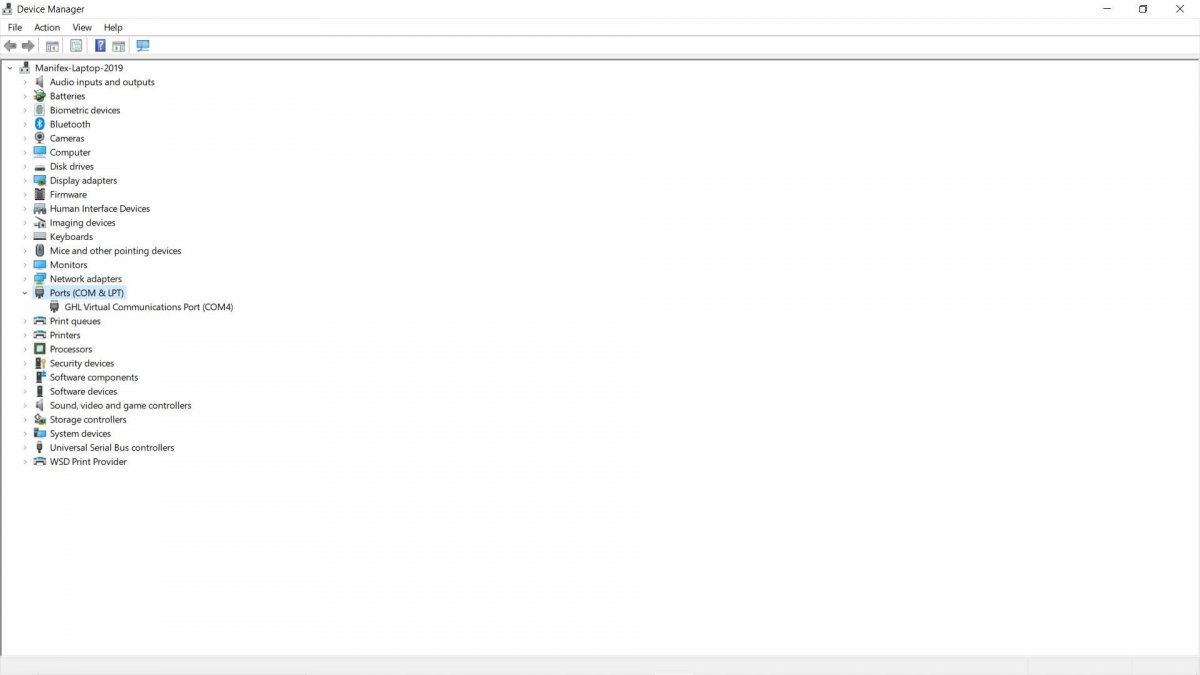
Device Manager.jpg


Has anyone run in to this issue? I think the USBVCOM port number is needed for the firmware update to work.

Thanks!

 
follow the following video from start to finish and you will update your p4e
 
Device Manager 2.jpg


A bit hard to see, but the how to video shows the GHL Virtual Communications Port and USBVCOM as separate items, and requires the port number for the USBVCOM for the firmware update...
 
Have you updated gcc to the latest firmware before you started?
 
I have V1.1.3.1 installed. Isn't V1.1.3.2 the beta version?
 
Device Manager 3.jpg


Installed GCC V1.1.3.2 and manually installed USBVCOM but getting an error "This device cannot start. (Code 10)". In theory I could proceed with the firmware update designating COM5 for the USBVCOM but I am concerned with the error message that the update will go sideways.
 
This usually happens if the cable is not fully inserted in either the PC port or P4 port. It can also happen if any end of the USB connector gets salt stains or corrosion on it.

If neither are the case, then restart the P4, remove the USB cable, re-insert the USB cable and try again.
 
Tried all of the above, no changes. I can't see it being the cable since there is no communication issue with the P4 using GCC and GHL Virtual Communications Port shows on COM4 as working. It is specifically the USBVCOM (COM5) with the error. Keep in mind I had to go through a work around to install the USBVCOM driver, the "unknown device" never appears on Device Manager.
 
rerun the setup tool, this time when you do it right click on it and run as administrator. It going to ask if you want to repair, say repair.

After the installation is completed connect the P4 and reboot the computer.
 
rerun the setup tool, this time when you do it right click on it and run as administrator. It going to ask if you want to repair, say repair.

After the installation is completed connect the P4 and reboot the computer.
Which setup tool are you referring to?
 

TOP 10 Trending Threads

WHAT’S YOUR MOST MEMORABLE EXPERIENCE WITH A CORAL THAT LOOKED LIKE IT MIGHT NOT MAKE IT?

  • I’ve seen a dramatic comeback. I would have sworn it was a goner

    Votes: 23 42.6%
  • A slow recovery, and it got back to looking healthy

    Votes: 11 20.4%
  • It came back some, but never looked as good as it used to

    Votes: 4 7.4%
  • I tried to save one, but it didn’t make it

    Votes: 8 14.8%
  • Mine is still struggling...no comeback yet

    Votes: 4 7.4%
  • I’ve never had a coral in serious trouble

    Votes: 0 0.0%
  • See, this is why I don’t keep corals

    Votes: 2 3.7%
  • Other (Post in the comments)

    Votes: 2 3.7%
Back
Top
Home
Post thread…
Market
What's new





