TV on the wall...but

  • Thread starter Thread starter Alex23
  • Start date Start date
  • Tagged users Tagged users None

Alex23

Active Member
View Badges
Joined
Jul 12, 2016
Messages
209
Reaction score
35
Location
South Florida
Rating - 0%
0   0   0
IMG_9606.JPG So today I put my tv on the wall in my room. After the "long" installation of it, now when I look at it, it is a bit high on the wall for when I play the Xbox. I will leave it there for the time being because I don't want to do all the moving again.

So here's the thing, it is the perfect hight when I am laying in bed watching tv, but when I play Xbox, I have to almost turn my head all the way up to look at the screen when I sit in my computer chair. Can anyone link me to some type of tall stool with a back for a cheap price? I do have the tv tilted as far down as it can go.

Also, what's the best way to hide the wires? As you can see in the pic, the closest power outlet is at the bottom right.

 
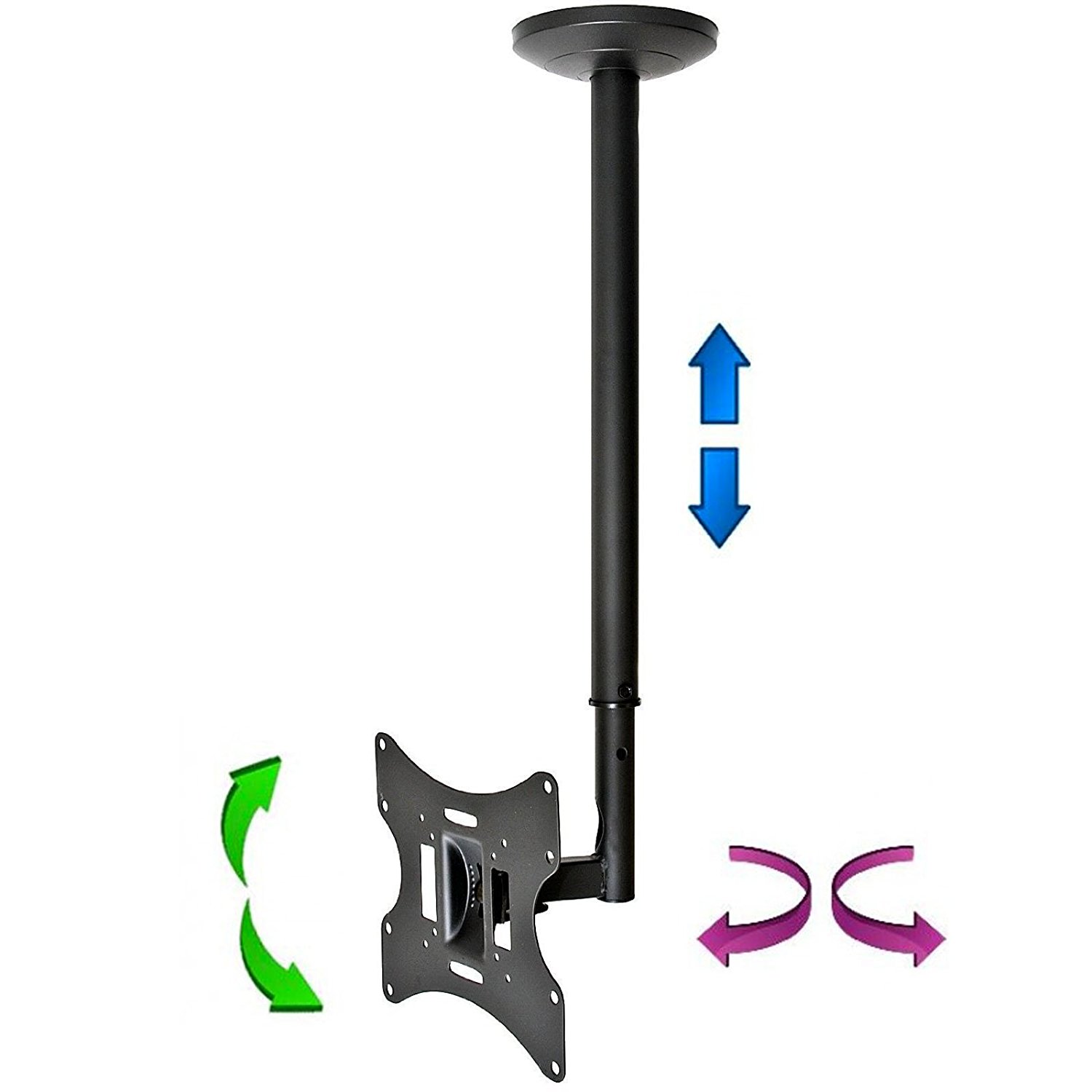
If you want to do it correctly, I would punch a hole in the wall behind the TV, run the wires behind the drywall, and punch a second hole behind the equipment at the bottom, where the cables will exit. They also sell telescoping wall mounts that let you angle or raise/lower the TV as needed.
 
The recommended height for a TV is eye level. It should not be up that high and may create back and neck problems for you. I suggest you move it to a stand especially if your goal is gaming.
 
The recommended height for a TV is eye level. It should not be up that high and may create back and neck problems for you. I suggest you move it to a stand especially if your goal is gaming.

piggybacking because I am going to mount my TV soon.. when you say eye level.. is that when standing, or sitting?
 
piggybacking because I am going to mount my TV soon.. when you say eye level.. is that when standing, or sitting?

Yes! lol - however you watch it is the level it should be. Sitting usually. The worst are over-the-fireplace TVs. I cringe when I see these.
 
If you want to do it correctly, I would punch a hole in the wall behind the TV, run the wires behind the drywall, and punch a second hole behind the equipment at the bottom, where the cables will exit. They also sell telescoping wall mounts that let you angle or raise/lower the TV as needed.
May have fire blocks in between his studs which means cutting out a big L shaped section of drywall. Which is the route I would go personally.
 
This is what I did
Mounted the tv cut a hole in the wall for the wires and ran my own electric image.jpg image.jpg image.jpg

I then went in the attic and ran a 75 foot hdmi cable to a closet image.jpg image.jpg
And put everything in there

I hate wires with a passion
 
61YtBWC2yRL._SL1500_.jpg


http://a.co/89qh06g
 
How do you change channels? Nice clean install btw!
image.jpg For the fios I have an ir transmitter the Apple TV runs on blue tooth and resides here image.jpg best part no wires as the suck

image.jpg

It's floating
 
My other hobby is Home Theater and I've done some installations for friends and family. Easiest way to hide the wires is wire channel. Aesthetically would be to run the wires in the wall like was already mentioned, I use magnets and pull the wires with them, easier on interior walls, exterior walls you have to deal with the insulation, but can be done. I agree that the TV is too high. Despite my warning against putting a TV over the fireplace a relative didn't listen and I had to move it a few months later. I told them they were too close and would be looking up when watching TV.
 
Thanks guys. I do like how my tv looks on my wall still, so I will just lower it a bit. Wish I did this at first lol but oh well
 
Here was my super simple wire hiding solution that I just put in my newly refinished master bedroom.

TV mounted to wall with: https://www.amazon.com/gp/product/B001OCY3RY/ref=oh_aui_detailpage_o00_s01?ie=UTF8&psc=1
Hole behind TV using a 2" hole saw with: https://www.amazon.com/gp/product/B00I0JN4O2/ref=oh_aui_detailpage_o00_s00?ie=UTF8&psc=1
Box next to electrical outlet on wall (oriented on opposite sides of the stud that the electrical box was attached to, to match up with the electrical socket next to it) with: https://www.amazon.com/gp/product/B003N7NJBY/ref=oh_aui_detailpage_o00_s01?ie=UTF8&psc=1
And plugged in to the outlet and through the bottom box with: https://www.amazon.com/gp/product/B00UI7I4JE/ref=oh_aui_detailpage_o02_s00?ie=UTF8&psc=1

Took me literally maybe 20 minutes to drill the 2" hole, cut out a square for the box using an oscillating multi tool, and plug everything in. Both the top and bottom pass throughs are the type that hold in using pressure from the screw and a tab.
 
Fishing the wires through the walls is the cleanest install, that's if you can. Meredith is right you might have a fireblock inside the wall, you can drill through it but that is easier said then done when you are on the outside of the wall. (It's also nearly guaranteed that it is against code to run a powercable through your drywall).

You can go to best buy and they sell channel that would go in the corner and you can paint it to match the room, this is probably the easiest solution, and in your location it will work perfect, you probably won't even notice it.

I had a tv hung too high like that, I lived with it for years. Just fix it and be done with it. When I moved I lowered the tv in it's current location in my new home and it's much nicer. Gaming looking at the ceiling sucks, it's also distorts your view.
 
For mounting our new 55" curved LED, I bought the extendable bracket on Amazon so that I could easily pull it out from the wall to maintenance if I needed to. I then cut a hole in the wall behind the TV and installed a 2 gang electrical box. Directly beneath that, I tapped into the rear of the outlet (hidden behind TV stand) and ran electricity to one side of that gang box. on the other side, I opened a hole in the back and ran my HDMI cable down thru it and into a new single gang box next to the existing electrical. this allowed me to have the TV power up high as well and the HDMI cable hidden. Plus I can articulate my TV however I wish.
 

TOP 10 Trending Threads

WHEN NUISANCE ALGAE OR CYANO FIRST APPEARS, WHAT DO YOU DO FIRST?

  • Manually remove it and observe

    Votes: 11 25.0%
  • Retest nutrients and other parameters

    Votes: 9 20.5%
  • Adjust flow or lighting

    Votes: 1 2.3%
  • Reduce or change feeding

    Votes: 0 0.0%
  • Add or strengthen the cleanup crew

    Votes: 6 13.6%
  • Improve filtration or nutrient export

    Votes: 2 4.5%
  • Use a targeted treatment

    Votes: 0 0.0%
  • Wait and let the tank find its balance

    Votes: 12 27.3%
  • Phone a friend...

    Votes: 0 0.0%
  • It depends (explain in the comments)

    Votes: 3 6.8%
Back
Top
Home
Post thread…
Market
What's new