


- Joined
- Jan 31, 2019
- Messages
- 375
- Reaction score
- 166
- What state or country do you live in
- Australia
Hi all,
I have a P3 setup with 2 power bars currently.
1 is PAB - assigned sockets 15-20
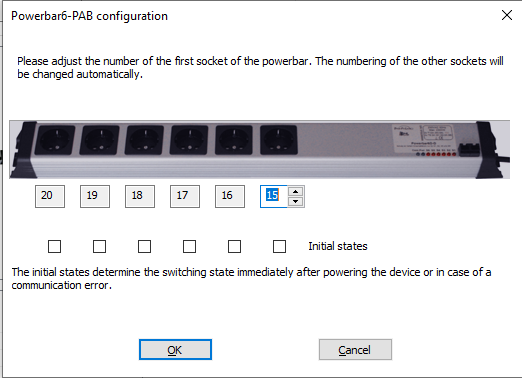
The other is a 6 point setup on port S1-4 - assigned sockets 9-14
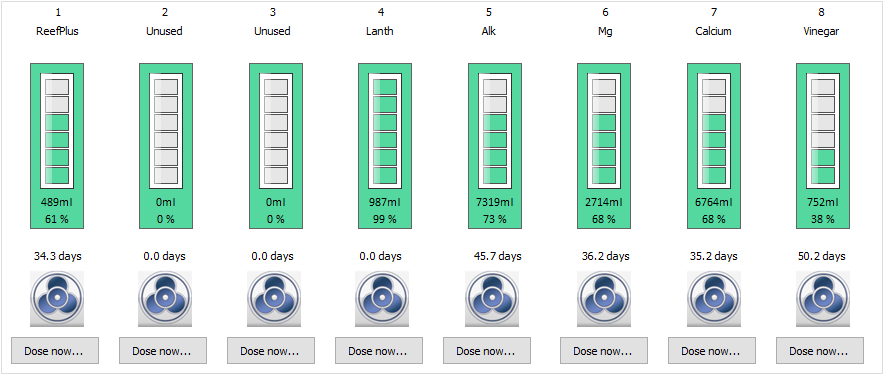
I also have an old doser connected via S5-8 - these are assigned to Dosing pumps 1-4 (but activating these pumps also "switches" sockets 5-8 (which don't physically exist) so I just leave them unassigned). I also have a doser 2 using PAB assigned to Dosing pumps 5-8 (see below)
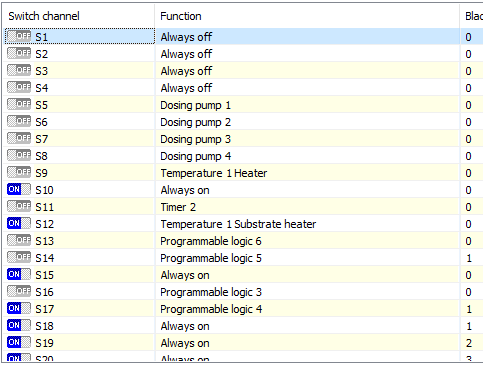
Recently I picked up another 6point PAB powerboard - I believe it was previously assigned to switches 1-6 (it had stickers on it). Plugging into the PAB network the comms light comes on HOWEVER I cannot find it in the "Assign Devices under PAB. Furthermore when I "dose" pumps 1-4 it activates sockets 1-4 on the new powerboard.
Any idea how to "reset" the configuration of the PAB powerboard without resetting the entire PAB bus (or will resetting the entire PAB system even work?) Once I see the new powerboard I'll assign it to sockets 21-26
Thanks in advance
I have a P3 setup with 2 power bars currently.
1 is PAB - assigned sockets 15-20
The other is a 6 point setup on port S1-4 - assigned sockets 9-14
I also have an old doser connected via S5-8 - these are assigned to Dosing pumps 1-4 (but activating these pumps also "switches" sockets 5-8 (which don't physically exist) so I just leave them unassigned). I also have a doser 2 using PAB assigned to Dosing pumps 5-8 (see below)
Recently I picked up another 6point PAB powerboard - I believe it was previously assigned to switches 1-6 (it had stickers on it). Plugging into the PAB network the comms light comes on HOWEVER I cannot find it in the "Assign Devices under PAB. Furthermore when I "dose" pumps 1-4 it activates sockets 1-4 on the new powerboard.
Any idea how to "reset" the configuration of the PAB powerboard without resetting the entire PAB bus (or will resetting the entire PAB system even work?) Once I see the new powerboard I'll assign it to sockets 21-26
Thanks in advance











