




revhtree
Owner Administrator
View Badges
Staff member
Super Moderator
Ultimate Member
Reef Squad
Partner Member 2026
Excellence Award
Platinum Sponsor
Photo of the Month
R2R App User
Article Contributor
Hospitality Award
Article Administrator
Industry Professional
My Aquarium Showcase
- Joined
- May 8, 2006
- Messages
- 54,970
- Reaction score
- 122,913
Posting a video from Facebook to R2R is easy and here is a tutorial showing you how. This literally takes a few seconds once you try it a couple of times.
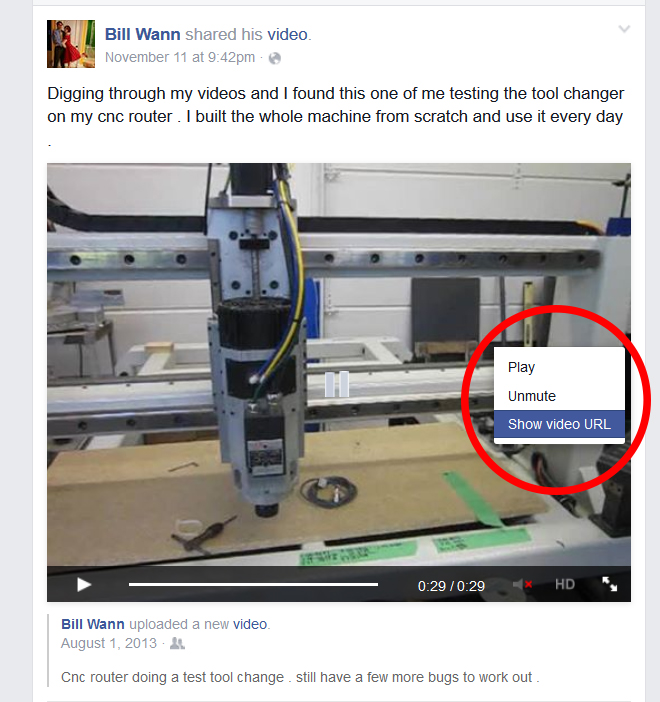
1. Use your mouse pointer and "right-click" on the video within Facebook you want to share. You will have a few options come up. Choose "show video url."
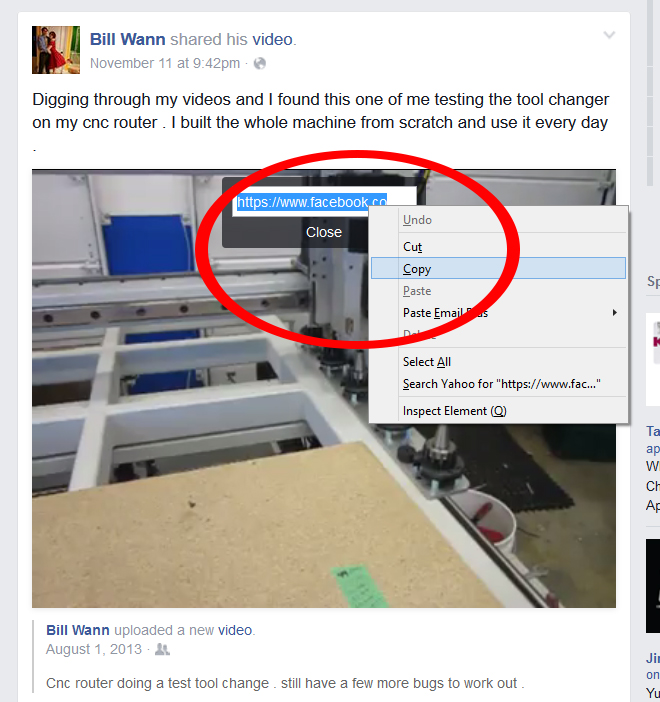
2. Next step is to highlight the URL' right click and choose copy.
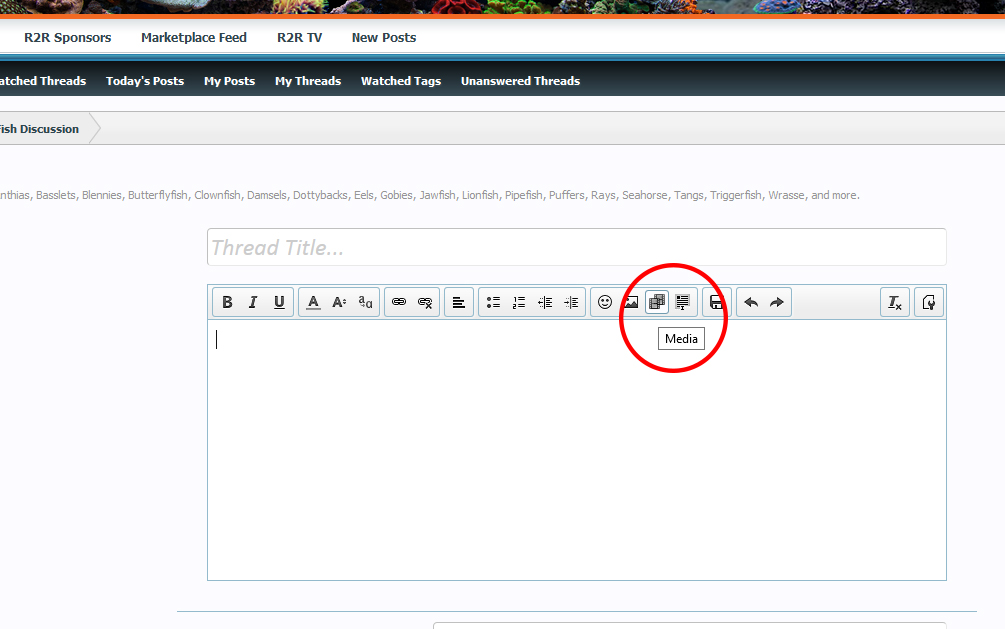
3. Open the thread on R2R where you want to add the video and click on the "media: option here:
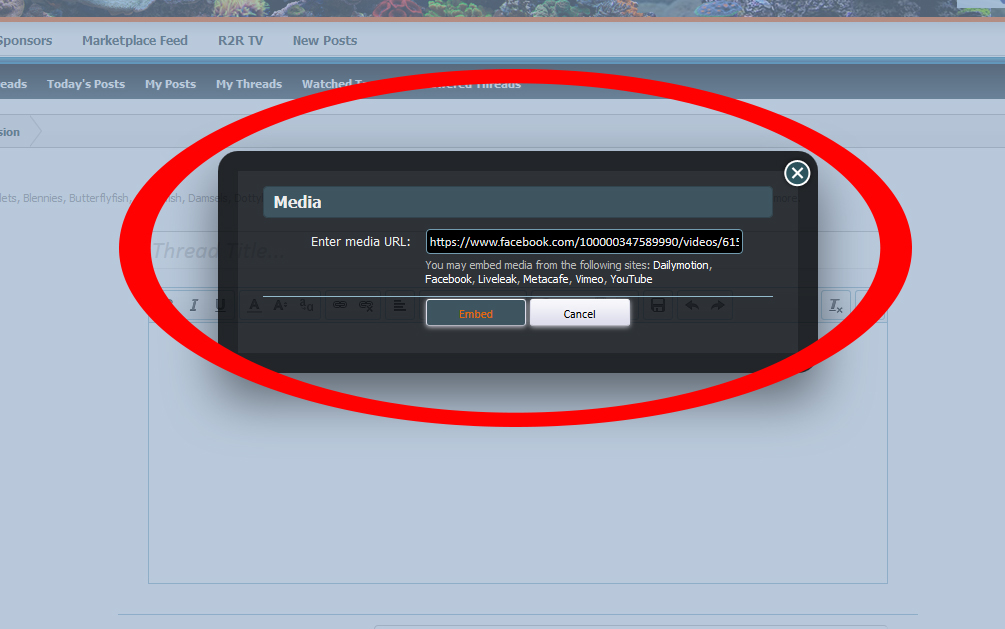
4. Paste the URL that you copied from facebook into the media box and click embed. Once you do that your video is ready to go!
1. Use your mouse pointer and "right-click" on the video within Facebook you want to share. You will have a few options come up. Choose "show video url."
2. Next step is to highlight the URL' right click and choose copy.
3. Open the thread on R2R where you want to add the video and click on the "media: option here:
4. Paste the URL that you copied from facebook into the media box and click embed. Once you do that your video is ready to go!













