



Photoshopping

JackoChang

Active Member
View Badges
Joined
Mar 12, 2011
Messages
440
Reaction score
1
Location
Colorado
Rating - 0%
0   0   0
Recently I've tried to take a pic of my "My Flamethrower" chalice, yup I named it. However, it looks neon like. The colors are accurate, under my LEDs anyways, but it looks like if I turned up the saturation. My question is, how do I tone it down and still keep the original colors? I've looked for a photography forum but can't seem to find it, so I posted here.
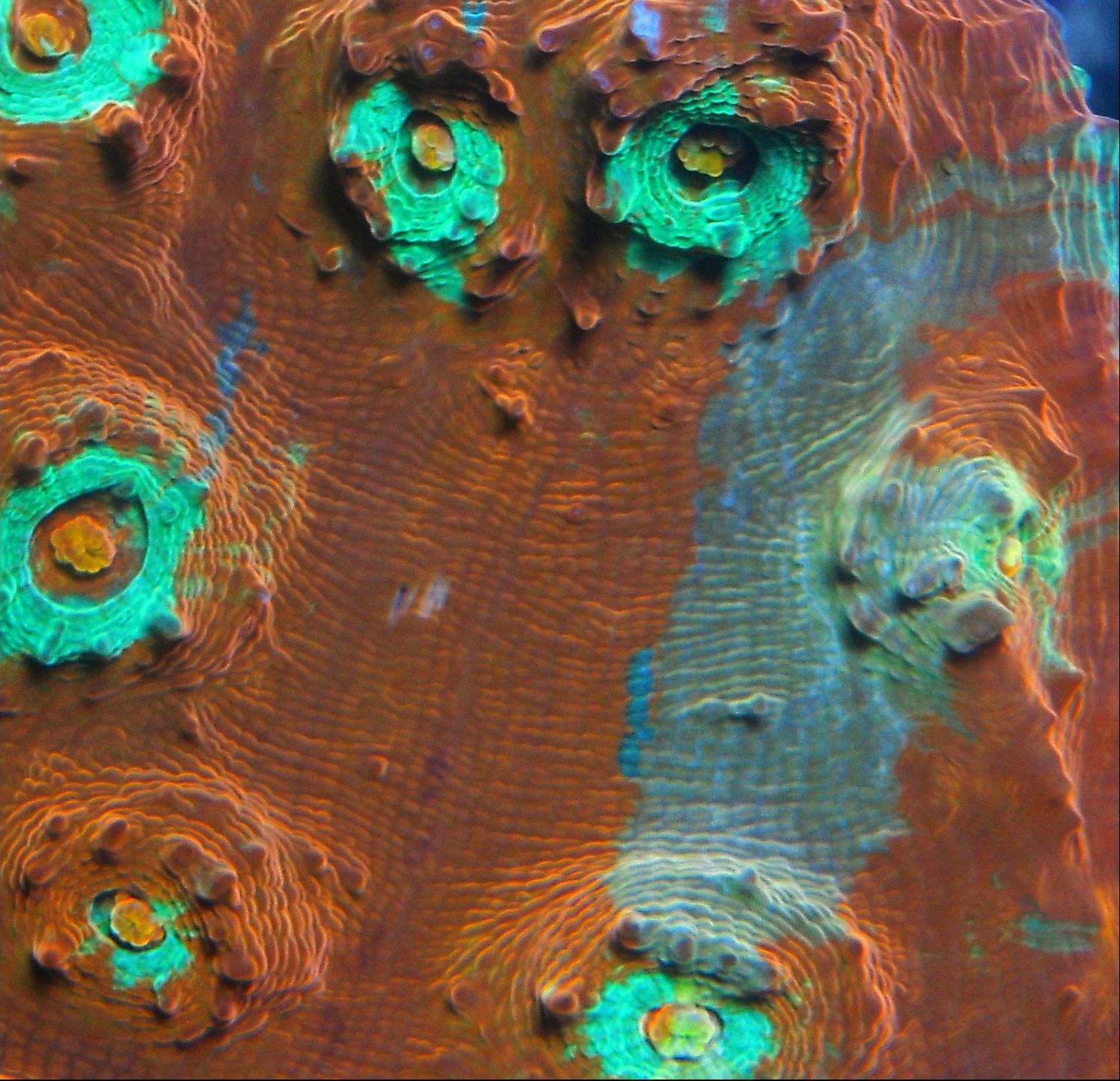
myflamethrower.jpg


Sent from my DROIDX using Tapatalk
 
Last edited:

The neon blue circles around the eyes, those look fake to me. The actual chalice is very bright, but I just wanted to tone those down a little. I think that would give it a more "natural" look.
 
You have to go into layers and so a selective color. Kinda tricky to get use to doing but you can have fun with it also.
 
I'm not familiar with lightroom. Is it a photoshop clone? I'm just using my 10MP Nikon PnS. I made a clear acrylic box and do top down shots.

Sent from my DROIDX using Tapatalk
 

TOP 10 Trending Threads

WHICH TYPE OF REEF CONTENT MOST OFTEN GETS YOU TO PARTICIPATE?

  • Daniel's daily polls. They're awesome! 😎

    Votes: 8 27.6%
  • A real troubleshooting problem

    Votes: 10 34.5%
  • Build-thread or tank-update posts

    Votes: 6 20.7%
  • Before-and-after progress photos

    Votes: 3 10.3%
  • Beginner questions

    Votes: 8 27.6%
  • Honest success or failure stories

    Votes: 7 24.1%
  • A post, update, or article from my favorite vendor

    Votes: 5 17.2%
  • Detailed how-to or educational discussions

    Votes: 9 31.0%
  • Tank tours and member showcases

    Votes: 5 17.2%
  • Local events, swaps, or meetups

    Votes: 5 17.2%
  • Other (Post in the comments)

    Votes: 7 24.1%
Back
Top
Home
Post thread…
Market
What's new





