


Photoshopping

JackoChang

Active Member
View Badges
Joined
Mar 12, 2011
Messages
440
Reaction score
1
Location
Colorado
Rating - 0%
0   0   0
Recently I've tried to take a pic of my "My Flamethrower" chalice, yup I named it. However, it looks neon like. The colors are accurate, under my LEDs anyways, but it looks like if I turned up the saturation. My question is, how do I tone it down and still keep the original colors? I've looked for a photography forum but can't seem to find it, so I posted here.
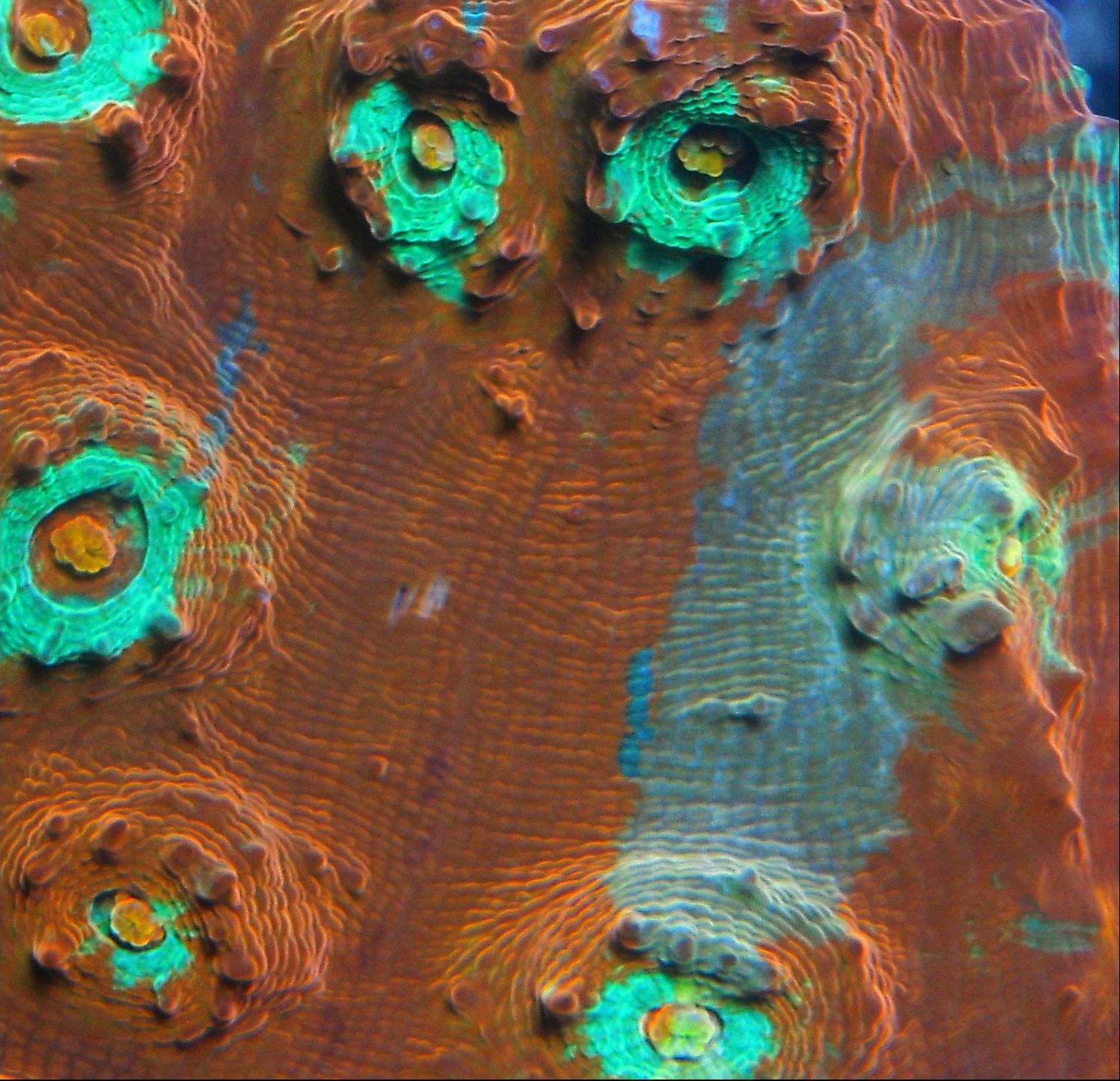
myflamethrower.jpg


Sent from my DROIDX using Tapatalk
 
Last edited:

The neon blue circles around the eyes, those look fake to me. The actual chalice is very bright, but I just wanted to tone those down a little. I think that would give it a more "natural" look.
 
You have to go into layers and so a selective color. Kinda tricky to get use to doing but you can have fun with it also.
 
I'm not familiar with lightroom. Is it a photoshop clone? I'm just using my 10MP Nikon PnS. I made a clear acrylic box and do top down shots.

Sent from my DROIDX using Tapatalk
 

IF YOU HAD TO OPERATE EVERYTHING ELSE MANUALLY, WHICH AUTOMATED SYSTEM WOULD YOU KEEP?

  • Auto top-off

    Votes: 62 57.4%
  • Automated dosing

    Votes: 7 6.5%
  • Mechanical filtration / roller filter

    Votes: 4 3.7%
  • Automated water testing

    Votes: 3 2.8%
  • Automatic feeding

    Votes: 1 0.9%
  • Lighting schedule

    Votes: 21 19.4%
  • Controller and remote monitoring

    Votes: 4 3.7%
  • Leak detection and emergency shutoff

    Votes: 2 1.9%
  • Automatic water changes

    Votes: 3 2.8%
  • None. I prefer to operate everything manually

    Votes: 0 0.0%
  • Something else (explain in the comments)

    Votes: 1 0.9%
Back
Top
Home
Post thread…
Market
What's new






