


Photoshopping

Free Phyto Promo
Spend $39+ → free 16oz Phyto · Use code FREEPHYTO at checkout · $16.99 value · Densest 6-species blend · Free shipping on every order · 100% live arrival guaranteed Spend $39+ → free 16oz Phyto · Use code FREEPHYTO at checkout · $16.99 value · Densest 6-species blend · Free shipping on every order · 100% live arrival guaranteed
Shop Now Code: FREEPHYTO

JackoChang

Active Member
View Badges
Joined
Mar 12, 2011
Messages
440
Reaction score
1
Location
Colorado
Rating - 0%
0   0   0
Recently I've tried to take a pic of my "My Flamethrower" chalice, yup I named it. However, it looks neon like. The colors are accurate, under my LEDs anyways, but it looks like if I turned up the saturation. My question is, how do I tone it down and still keep the original colors? I've looked for a photography forum but can't seem to find it, so I posted here.
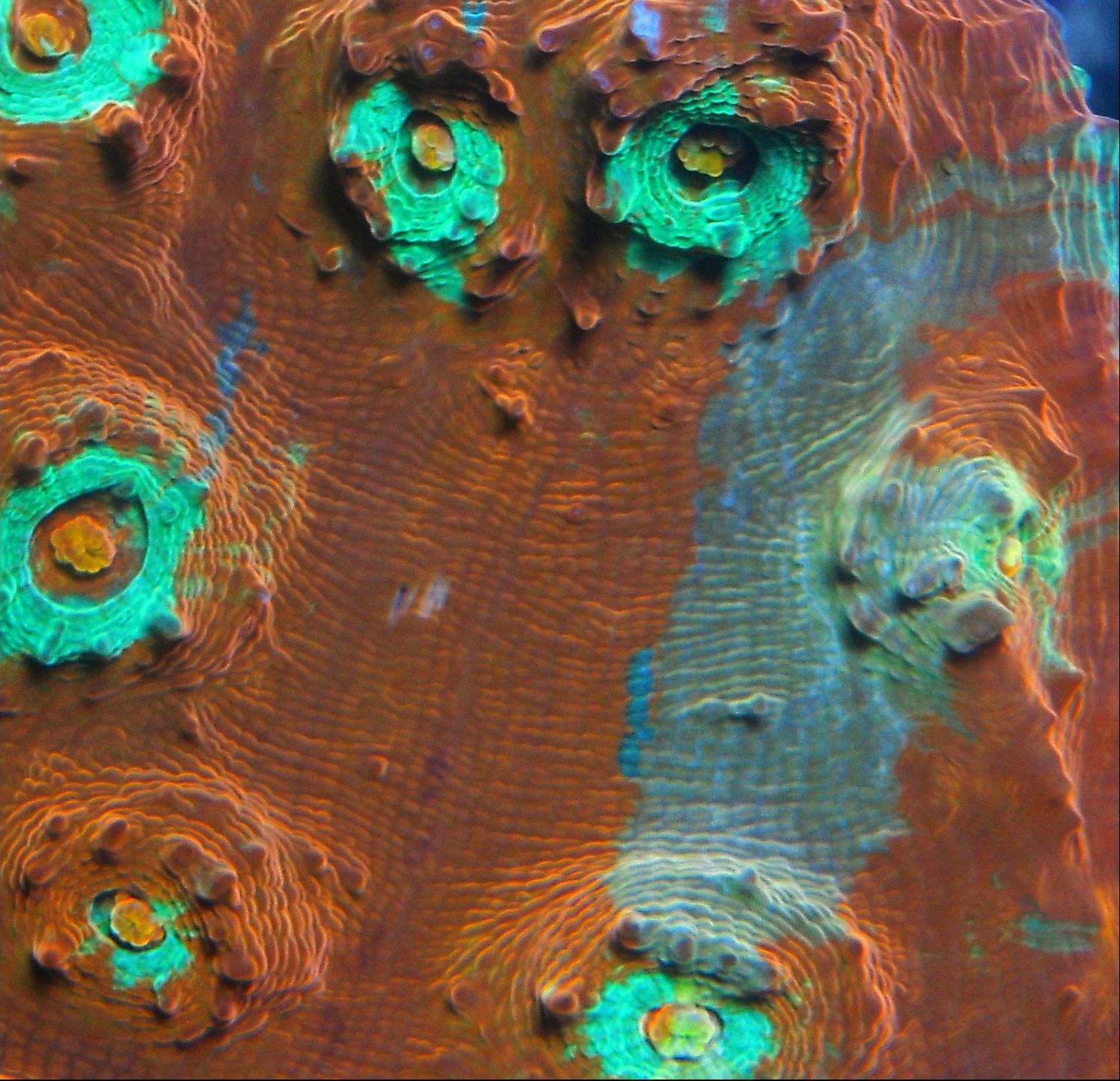
myflamethrower.jpg


Sent from my DROIDX using Tapatalk
 
Last edited:

The neon blue circles around the eyes, those look fake to me. The actual chalice is very bright, but I just wanted to tone those down a little. I think that would give it a more "natural" look.
 
You have to go into layers and so a selective color. Kinda tricky to get use to doing but you can have fun with it also.
 
I'm not familiar with lightroom. Is it a photoshop clone? I'm just using my 10MP Nikon PnS. I made a clear acrylic box and do top down shots.

Sent from my DROIDX using Tapatalk
 

TOP 10 Trending Threads

ARE YOU READY TO CONFESS TO CRAZIEST, DUMBEST, FUNNIEST THING YOU’VE EVER DONE IN REEFING?

  • Yeah, I'll confess! (Share your story in the comments!)

    Votes: 34 54.0%
  • Nah, I'll keep mine a secret...(Don't be like that, share with the class!)

    Votes: 29 46.0%
Back
Top
Home
Post thread…
Market
What's new







