

Profilux4 not showing historical Data

  • Thread starter Thread starter Broadwave
  • Start date Start date
  • Tagged users Tagged users None

Broadwave

Active Member
View Badges
Joined
Mar 1, 2013
Messages
110
Reaction score
92
Location
Massachusetts
Rating - 0%
0   0   0
So, I replaced my Apex with a Profilux4 and everything "seems" to be ok. However, I'm unable to record historical data for PH, Temp, Cond and ORP. I have the "Record Measurement Values" checked, but nothing is showing up in the chart for each of these parameters. Is there something else I need to enable or a box to check? Please advise.
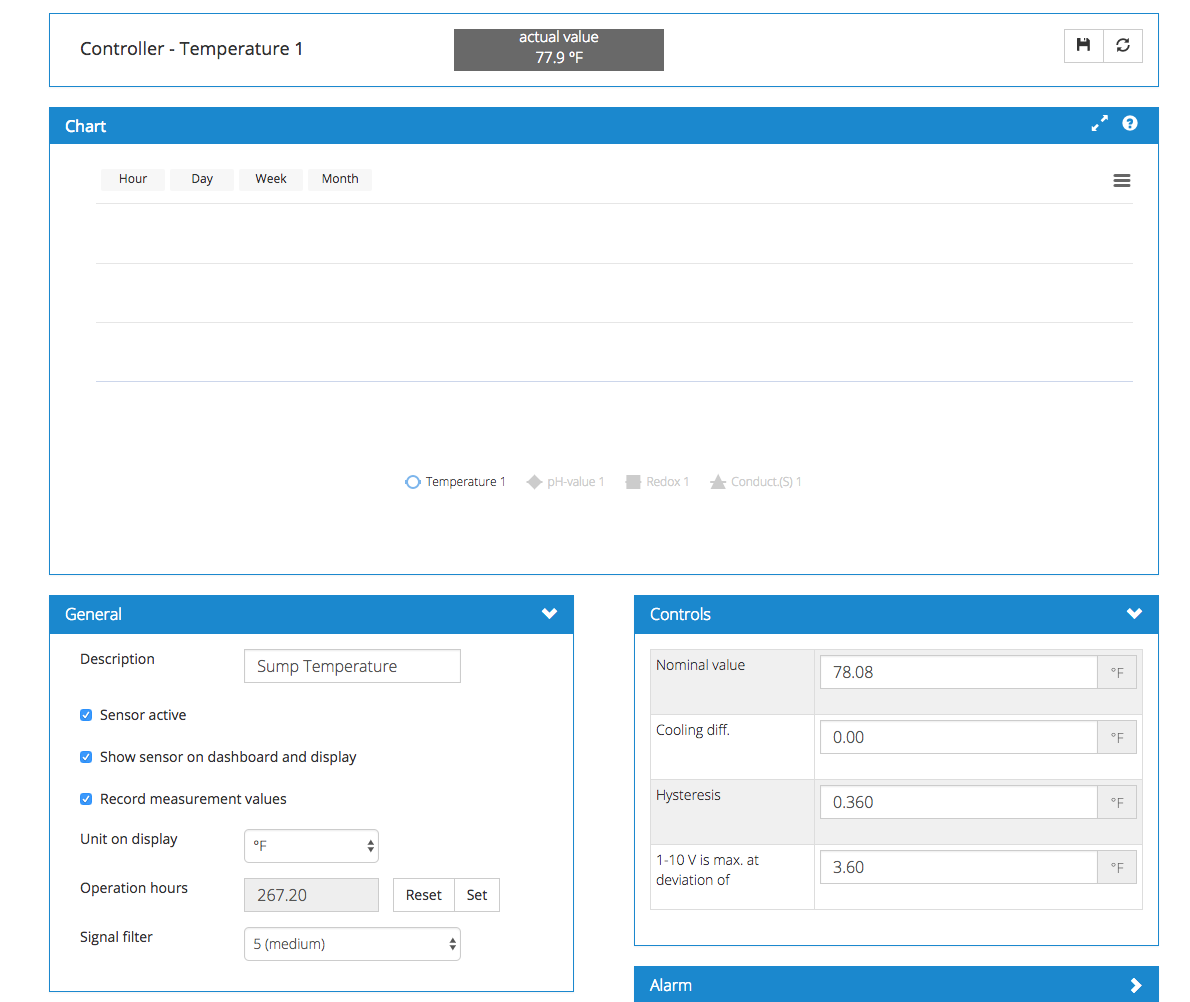
Screen Shot 2017-08-29 at 11.14.43 PM.png
 
What firmware version are you running?

Your command center needs to be:

https://www.aquariumcomputer.com/downloads/ghl-control-center-v1-1-0-0/

You also neee to upgrade the he latest firmware and also upgrade the wireless module firmware also.

It was the only way I was able to get mine to work also :)

Also make sure your UTC time interval is set correctly on the unit also.

After that it took a few hours and I started to see the data in the website.
 
What firmware version are you running?

Your command center needs to be:

https://www.aquariumcomputer.com/downloads/ghl-control-center-v1-1-0-0/

You also neee to upgrade the he latest firmware and also upgrade the wireless module firmware also.

It was the only way I was able to get mine to work also :)

Also make sure your UTC time interval is set correctly on the unit also.

After that it took a few hours and I started to see the data in the website.


I'm connecting to https://www.myghl.com, having to connect my laptop physically via USB to the controller every time to see stats, make changes, etc... is a royal PITA. That being said, I'm using GCC version 1.0.9.9 which is the latest GA version. The version you referenced is beta and I do not use beta versions as they are full of bugs, A.K.A. Undocumented Features :-)

On the Profilux4 itself -
The firmware is on version 7.06
The WiFi version is on version 6407
Time is set to my local time EDT
 
I believe and Vinny may need to reply that you need firmware 7.08 or higher for this to work.
 
Hi there,

Exactly as Ditto said. :)

We added the chart feature after 7.06. Update to 7.08 by downloading GCC version 1100 and you will then be able to see the charts for all your probes.

If you have access to the P4 via myGHL and WiFi, no need to connect with USB to make changes or see stats. ;)
 
Hi Vinny

The saved file for the charts in P3 was in a simple text format that could be imported to MS Excel.

The format of the sample file for P4 looks to be in another format – not possible to import to MS Excel. Will there be a possibility to export the data to MS Excel for the data sample in P4?

Sincerely Lasse
 

TOP 10 Trending Threads

WHEN PLANNING CORAL PLACEMENT, WHAT USUALLY WINS? THE FUTURE COLONY, OR THE NEXT FRAG?

  • I leave plenty of open space for large future colonies

    Votes: 3 33.3%
  • I plan for growth...but occasionally squeeze coral into tight spaces

    Votes: 4 44.4%
  • I try to balance future growth with variety now

    Votes: 3 33.3%
  • I fit in as many frags as I reasonably can

    Votes: 1 11.1%
  • One more frag always wins! Future me can solve the problem...

    Votes: 0 0.0%
  • It depends on the coral and how quickly it grows

    Votes: 1 11.1%
  • I squeeze 'em in! Survival of the fittest, baby!!

    Votes: 0 0.0%
  • I’m already out of room, so apparently we know my answer...

    Votes: 0 0.0%
Back
Top
Home
Post thread…
Market
What's new





