Why should I make a Flickr Account?

  • Thread starter Thread starter KLR
  • Start date Start date
  • Tagged users Tagged users None
I use Flickr Pro, after using Photobucket Pro for awhile and not liking the way it worked. I find Flickr very user friendly, actually. I upload full resolutions of all of my photos, so it also works as an online back up option.

Keep in mind, for those who are comparing, by uploading full resolutions here, R2R's software, just as with most forum software, is also compressing our images and resizing them, so it may not be an accurate comparison. Although, I'd imagine that the forum software is compressing the Photobucket full resolution photo exactly the same way it's compressing the Flickr full resolution photo, so it might actually be an accurate comparison...lol

 
AFAIK there isn't one. You have to right click and copy the link, then type the IMG codes when you post. If there is an easier way, please, someone tell me!!

Here you go:
Where is the HTML code and photo file link?

The HTML code to embed a photo in a web page that you used to find on the All Sizes page is now only in the Share menu above the photo, to the right of the Actions menu. We now also include BBCode! (standard message board code)There are a few cases where the code may not be available: 1) If the photo is restricted. 2) If that person has turned off "Share this" or access to original files.The direct link to a photo file is no longer shown on the page. Per the Flickr Community Guidelines "pages on other websites that display content hosted on flickr.com must provide a link from each photo or video back to its page on Flickr." Linking directly to the photo file doesn't do this.
 
Any comment on this aspect?

You do have to right click, but you don't have to manually type the img tags, though I do because it's simple and I'm used to the old school method. If you click the Image button, above the response window, you can then paste the code into the pop up window. To me, it's easier to manually type in the img tags...lol.

The only issue I ever have is when I'm not logged into my Flickr account. I have my Flickr set to Right Click Disable, due to having some of my photos used without my permission. So, when I am not logged in and try to post a photo, I'm unable to...lol.
 
Correct me if I am wrong, but either way, it is not as simple as copying and pasting the IMG code from PB. Correct?

Here you go:

You do have to right click, but you don't have to manually type the img tags, though I do because it's simple and I'm used to the old school method. If you click the Image button, above the response window, you can then paste the code into the pop up window. To me, it's easier to manually type in the img tags...lol.

The only issue I ever have is when I'm not logged into my Flickr account. I have my Flickr set to Right Click Disable, due to having some of my photos used without my permission. So, when I am not logged in and try to post a photo, I'm unable to...lol.
 
Here you go:

Ohhhh that's so much easier than even the easy way I've been doing it...lol. Guess it helps to click on that "Where is the HTML code" link, below the photos. Wish I'd have done that a long time ago! It even gives you the option, right in that menu, to pick the size of the photo that you'd like the code for! NICE!
 
Im going to say correct cause all you have do to is go to the side of the photo in PB and right click on the IMG code box and it will copy it automaticlly, so much easier, haha
 
Correct me if I am wrong, but either way, it is not as simple as copying and pasting the IMG code from PB. Correct?

If I remember, from back when I used PB and from before Flickr changed their format, you are correct. It's not as simple as that anymore. Flickr used to allow that option, before they offered all of the different size options. Prior to that, the IMG code appeared below your photo, easily copied for pasting. Now there's an extra step, that takes about half a second longer...lol. Right click>Copy Image Location OR, Share>Copy. From the Share option, you can also select all of the different sizes, if you don't want to 'share' the medium sized image. Quick and very easy, IMO.
 
Last edited:
Interesting on the IMG code thing too. So with Flickr do you have to select to upload in full resolution?
 
Right clicking to get the HTML code or clicking on a button to get the HTML code is the same amount of work, no? And this is only after you've clicked on the actual photo. PB gives you the links even on the thumbnails.

Ohhhh that's so much easier than even the easy way I've been doing it...lol. Guess it helps to click on that "Where is the HTML code" link, below the photos. Wish I'd have done that a long time ago! It even gives you the option, right in that menu, to pick the size of the photo that you'd like the code for! NICE!
 
Interesting on the IMG code thing too. So with Flickr do you have to select to upload in full resolution?

No, it's not like PB in that respect. This is what allows the different size options on flickr.
 
I'll also mention the ease of uploading. It's been a long time since I've uploaded to PB, so can't comment on it, but using Flickr Uploader, it's very simple to upload as many photos as you want, quickly. Flickr Uploader also allows you to categorize them, name photos, tag photos, etc. even creating new categories, all within the upload process.
 
The PB uploader is super easy... they had bugs for a while, but now it works flawlessly. Given what I've seen in this thread so far, even though the pic quality is worst with PB, it still has the best ease of use I have seen. Why can't someone combine the two :bigsmile:
 
No, it's not like PB in that respect. This is what allows the different size options on flickr.

Ok, cool.

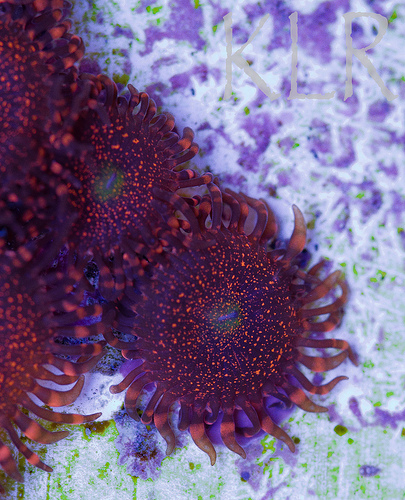
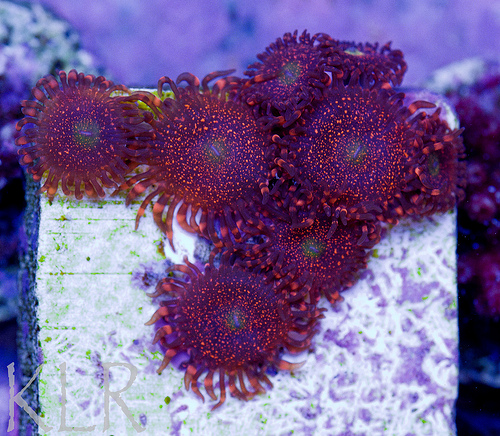
Here are my comparison pictures.


Photobucket 1st, followed by Flickr-I am honestly not sure which ones are "better". I realize they are different size but I made them as close to the same as I knew how.

TheHot_2.jpg


Nightmares by KayRobsReef, on Flickr


TheHot_6.jpg


Nightmares by KayRobsReef, on Flickr
 
Last edited:
Right clicking to get the HTML code or clicking on a button to get the HTML code is the same amount of work, no? And this is only after you've clicked on the actual photo. PB gives you the links even on the thumbnails.

Okay, I just logged into my PB acct, for the first time in probably 2 years...lol. Yes, the link is provided, even on the thumbnail photo, but only one size option, correct? My PB acct is no longer the Pro account so that could be different I suppose. I do see that it offers me options for different types of sharing, below the thumbnail, but only see one size option. With Flickr, directly from the initial photo, by clicking Share, I have options to copy the codes for 10 different sizes, up to Original. Although, I'm not exactly saying this is an optimal option as I usually only pick medium or large image size. My Photobucket isn't offering me any size options.
 
You have to compare same sizes.
 
Okay, I just logged into my PB acct, for the first time in probably 2 years...lol. Yes, the link is provided, even on the thumbnail photo, but only one size option, correct?

Correct. The one drawback to PB is that you upload at a certain size, and can only post that size. It's not an issue with forums, but for other uses it may be.
 
You have to compare same sizes.

Re-realized this after I lost my ability to edit the post, so now I just feel like an idiot,hahahah.

But the flickr sizes and photobucket sizes do not match so how do I get them the same size?
 
Ahahaha.., maybe they will extend the edit post time soon :bigsmile:
 
The PB uploader is super easy... they had bugs for a while, but now it works flawlessly. Given what I've seen in this thread so far, even though the pic quality is worst with PB, it still has the best ease of use I have seen. Why can't someone combine the two :bigsmile:

HAHA now that would be awesome! Of course, not only will a combination never happen, more competitors will show up!

I think, initially, the reason I switched from PB to Flickr, way back when, had something to do with how PB handled visitors. In order to "share" my photos, on my PB page, I had to send invitations to people, OR they had to have a PB account already. People couldn't just go to my PB page and view my photos, without an invitation or without already having a PB account. This seemed like a real pain to me. I know PB has changed that, so that's no longer an issue, but was the reason I switched to Flickr.
 

TOP 10 Trending Threads

Back
Top
Home
Post thread…
Market
What's new