




revhtree
Owner Administrator
View Badges
Staff member
Super Moderator
Ultimate Member
Reef Squad
Partner Member 2026
Excellence Award
Platinum Sponsor
Photo of the Month
R2R App User
Article Contributor
Hospitality Award
Article Administrator
Industry Professional
My Aquarium Showcase
- Joined
- May 8, 2006
- Messages
- 54,963
- Reaction score
- 122,861
Just added this as a perk for all supporting members.
You can now Create Labels or folders for your private conversations to be able to keep up with them better. Here is how.
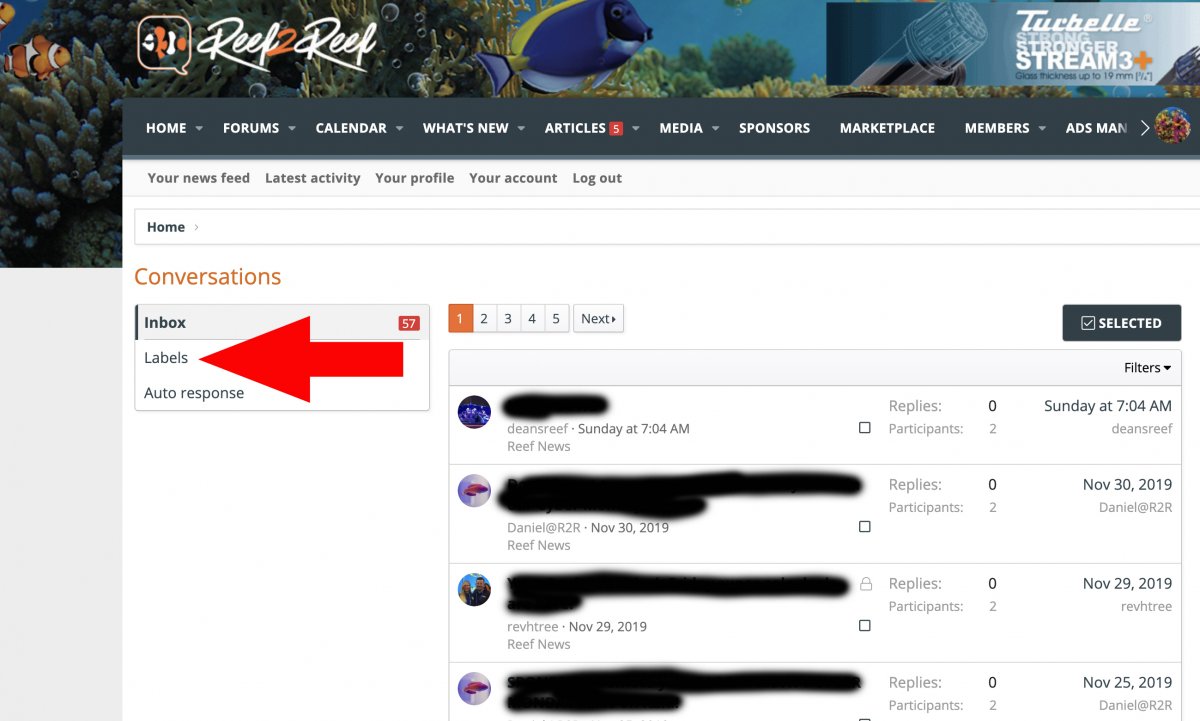
1. In your private conversations inbox you will now see a tool called "Labels." Click it!
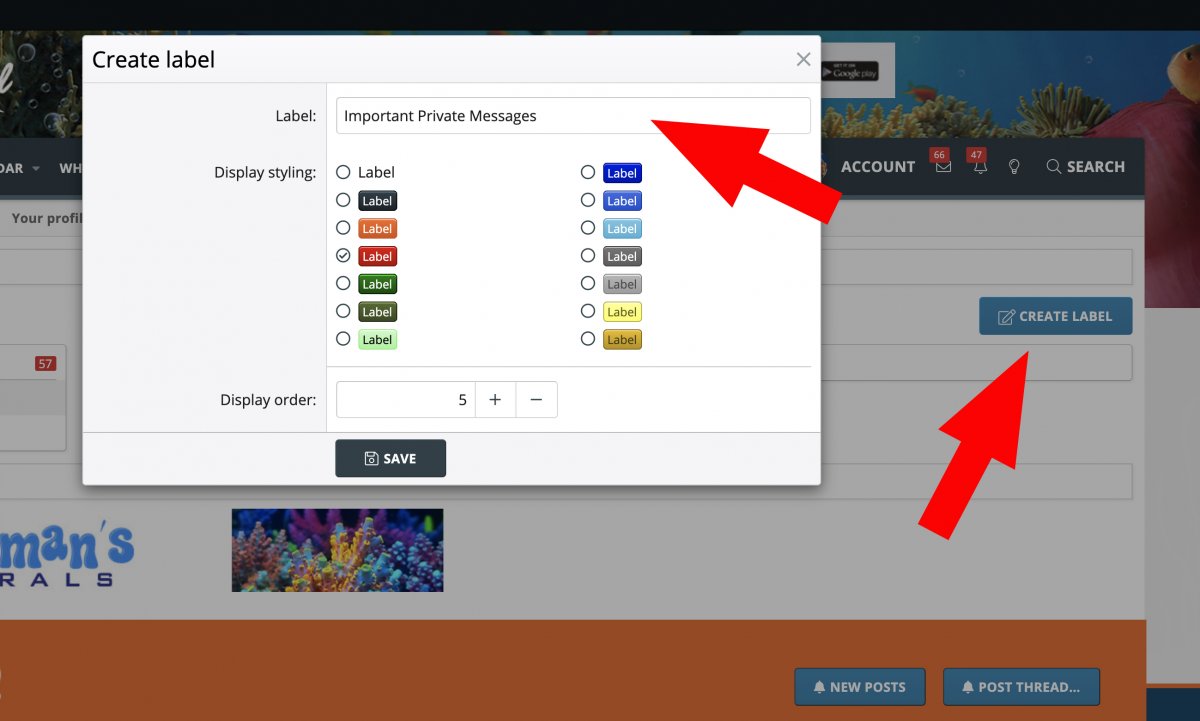
2. Select the Create Label button, create a title for your label, select a color for your label, and then a display order for your label.
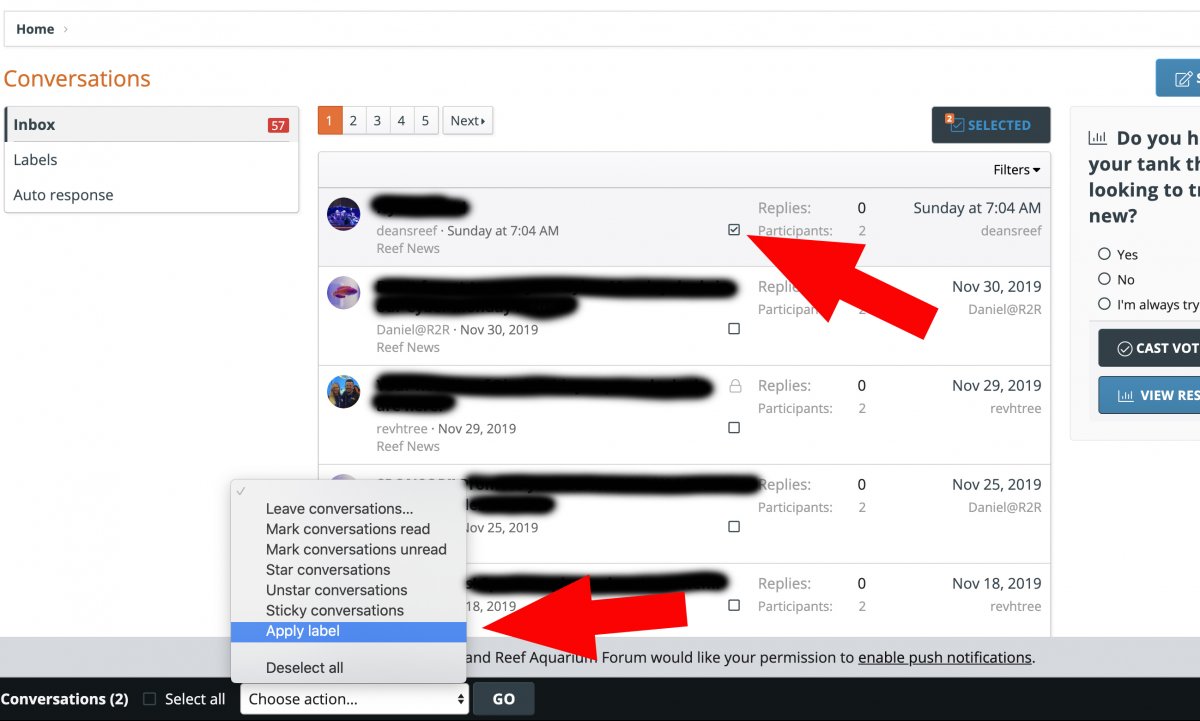
3. In your message list click the little box within the messages you want to apply a label to and a list of options will appear at the bottom. Select one of the labels you created.
You can now Create Labels or folders for your private conversations to be able to keep up with them better. Here is how.
1. In your private conversations inbox you will now see a tool called "Labels." Click it!
2. Select the Create Label button, create a title for your label, select a color for your label, and then a display order for your label.
3. In your message list click the little box within the messages you want to apply a label to and a list of options will appear at the bottom. Select one of the labels you created.











