

Webserver

Member No 1

Well-Known Member
View Badges
Joined
Dec 17, 2017
Messages
625
Reaction score
405
Location
Rehoboth, MA
Rating - 0%
0   0   0
Is anyone having issues logging into the WebServer on the P4? ver. 7.24.

Using admin and the correct password.
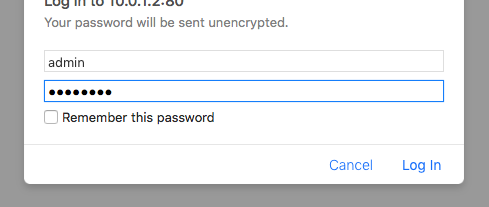
1586005922219.png


Then this screen

1586006133751.png

Go thru the screen promps to this screen
1586006359689.png


Only to get this time after time. I've restarted the app. Tried different browsers. Happens on my Mac, and PC. I know I have connection, I can ping the P4.
I've also sent the error report.

1586006460374.png
 

ingchr1

Valuable Member
View Badges
Joined
Sep 9, 2018
Messages
1,720
Reaction score
1,256
Rating - 0%
0   0   0
If those screens are coming up I think it's reaching the P4.

Maybe try cycling power to the P4 to see if that corrects the issue.

Maybe the webserver did not install correctly on the P4 and it needs to be reinstalled.
 
OP
OP
Member No 1

Member No 1

Well-Known Member
View Badges
Joined
Dec 17, 2017
Messages
625
Reaction score
405
Location
Rehoboth, MA
Rating - 0%
0   0   0
If those screens are coming up I think it's reaching the P4.

Maybe try cycling power to the P4 to see if that corrects the issue.

Maybe the webserver did not install correctly on the P4 and it needs to be reinstalled.
Thanks for the reply. I've tried the power cycle. Not sure how I'd go about reloading the Webserver.
 

Ditto

Valuable Member
View Badges
Joined
Apr 25, 2017
Messages
2,229
Reaction score
2,933
Location
Albany, NY
Rating - 0%
0   0   0
I agree with what @ingchr1 is saying try a power cycle and if that does not work then need to use the WiFi tool and update the webpages using the alternate method.
 
OP
OP
Member No 1

Member No 1

Well-Known Member
View Badges
Joined
Dec 17, 2017
Messages
625
Reaction score
405
Location
Rehoboth, MA
Rating - 0%
0   0   0
I agree with what @ingchr1 is saying try a power cycle and if that does not work then need to use the WiFi tool and update the webpages using the alternate method.
Ditto, I shall look into it. Just to be clear, the issue I'm having is logging into the local Webserver, not logging in with either myGHL or GCC.
 

Ditto

Valuable Member
View Badges
Joined
Apr 25, 2017
Messages
2,229
Reaction score
2,933
Location
Albany, NY
Rating - 0%
0   0   0
Download the Wifi Update tool within it will be instructions on how to perform the update with the tool. The Wifi-Module-ESP-Update-Tool is located here: https://www.aquariumcomputer.com/downloads/wifi-module-esp-update/

Once you have it downloaded unzip it and run the tool, a pdf is attached explaining how to do the emergency update.
 

Attachments

  • WiFi-Update_FAQ_EN.pdf
    162.9 KB · Views: 260

Ditto

Valuable Member
View Badges
Joined
Apr 25, 2017
Messages
2,229
Reaction score
2,933
Location
Albany, NY
Rating - 0%
0   0   0
Ditto, I shall look into it. Just to be clear, the issue I'm having is logging into the local Webserver, not logging in with either myGHL or GCC.

This sometimes happens when the webserver files are corrupted. Were you able to use the P4 web Interface before and it just stopped working?
 

TOP 10 Trending Threads

Back
Top








