



Arctic T247: Remote Has No "Clock" Button

  • Thread starter Thread starter RyzomeRyan
  • Start date Start date
  • Tagged users Tagged users None

RyzomeRyan

New Member
View Badges
Joined
Nov 8, 2023
Messages
2
Reaction score
0
Location
St Louis
Rating - 0%
0   0   0
I am trying to see the light intensity, clock, and timer on a friends Arctic T247 Aquarium light. Her remote has eight buttons: Power, Menu, Sunny, Cloudy, Moon, Custom, Manual, and "*". Every online instructional I can find talks about a "Clock" button for setting the basics, but ours is without this button. Can someone please steer me in a proper direction for programming with this remote?
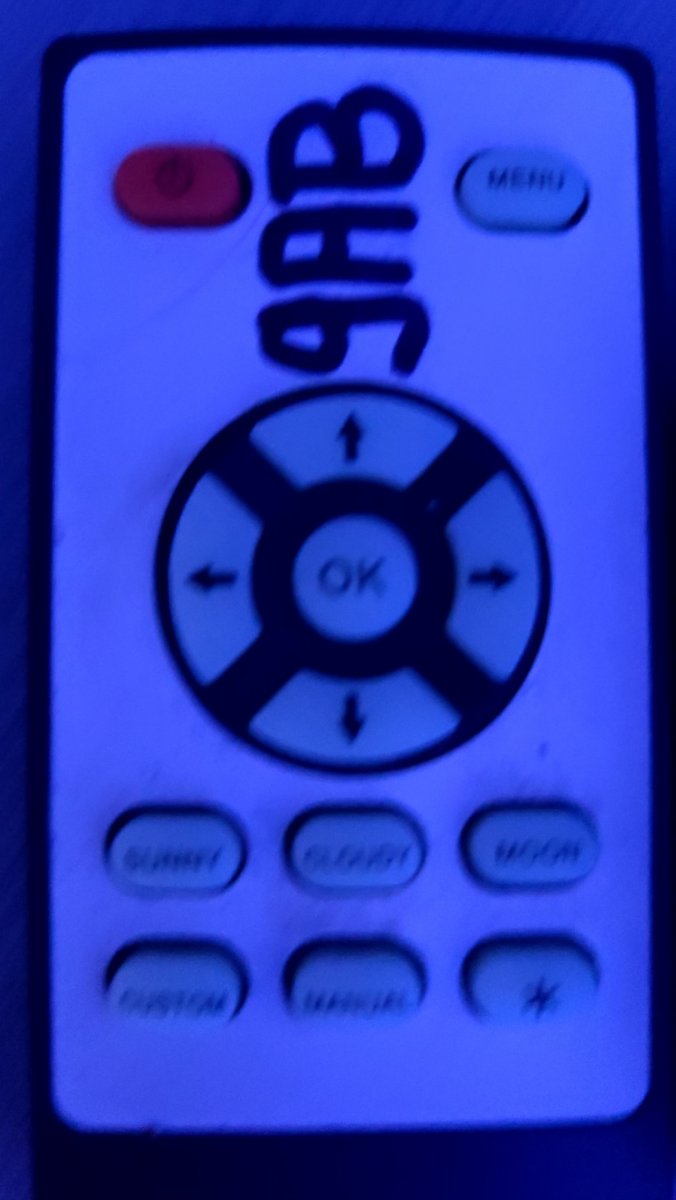
Remote.jpg
 
Wrong remote?

Screenshot_20231108-143055.png

https://www.reef2reef.com/threads/ocean-revive-t247.660872/

Your moon button one is here:
https://reefs.com/magazine/product-review-barrier-reef-aquariums-evergrow-nova-a4-led-light/
It seems like your remote doesn't go with that light.....or you have a different light than you think
Seems like it, but the remote is able to operate and scroll through the settings, I just cannot figure out where I'm at in the programming nor get anything to make sense. So, maybe? Anyone else run into this issue?


 
Seems like it, but the remote is able to operate and scroll through the settings, I just cannot figure out where I'm at in the programming nor get anything to make sense. So, maybe? Anyone else run into this issue?
 

TOP 10 Trending Threads

ARE YOU READY TO CONFESS TO CRAZIEST, DUMBEST, FUNNIEST THING YOU’VE EVER DONE IN REEFING?

  • Yeah, I'll confess! (Share your story in the comments!)

    Votes: 43 52.4%
  • Nah, I'll keep mine a secret...(Don't be like that, share with the class!)

    Votes: 39 47.6%
Back
Top
Home
Post thread…
Market
What's new




