


reef-pi :: An opensource reef tank controller based on Raspberry Pi.

Guess what day it is :) , Aiptasia appreciation day....
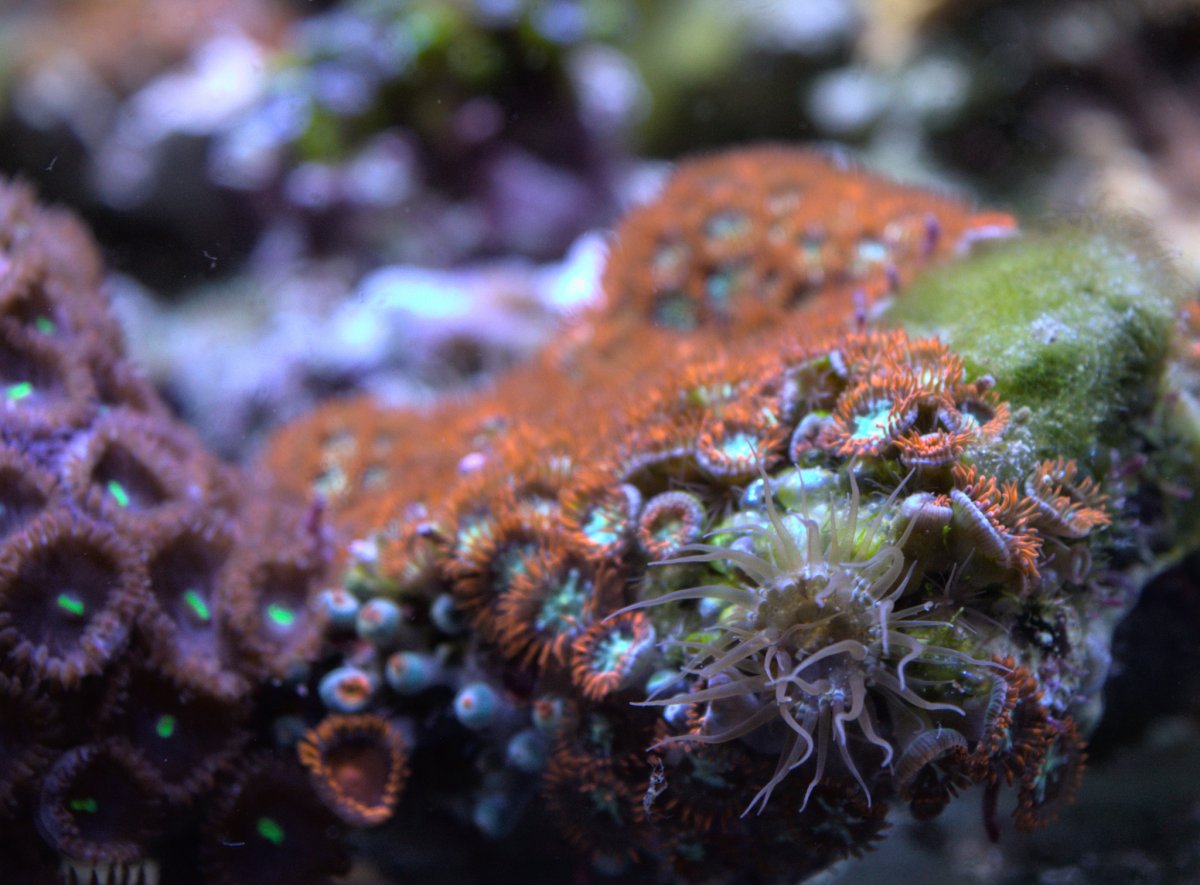
DSC_0663.jpg
 
My robo tank reef pi comes in Saturday and I'm excited. What pump do you guys use for auto top off?
Amazon product ASIN B076Y79ZC4Awesome little pump same pump used by
JBJ

Dual Sensor Nano Auto Top Off - JBJ​

great no problem with lift 5-6ft no problem haven’t tried any higher after buying one form Amazon I bought 4 more from AliExpress for around 5buck a piece. Submersible also
 
Quick UI suggestion. When you go to calibrate the pH probe, you should be able to do the 7, hit done, then come back and do the 10 when you're ready. I wasted a whole set of calibration fluids today by not knowing that. The calibration fluids for the probe I'm using come in packets and you just set the probe in the packet - so I can't have jars setup before hand.
 
Quick UI suggestion. When you go to calibrate the pH probe, you should be able to do the 7, hit done, then come back and do the 10 when you're ready. I wasted a whole set of calibration fluids today by not knowing that. The calibration fluids for the probe I'm using come in packets and you just set the probe in the packet - so I can't have jars setup before hand.
I didnt get it, how this led to waste of the calibration fluid? can you elaborate? The ph module is a general purpose one and can be used with any analog sensor. As long as we can keep that semantics possible any improvement suggestion is welcome
 
I didnt get it, how this led to waste of the calibration fluid? can you elaborate? The ph module is a general purpose one and can be used with any analog sensor. As long as we can keep that semantics possible any improvement suggestion is welcome

I opened a pack, calibrated 7. Hit done. Readied pack of 10 fluid, couldn't calibrate it and since it's a pouch I couldn't set it down. Had to open another package of 7, calibrate 7, and then immediately calibrate another pouch of 10.

This one doesn't use a powder mixed with ro/di to make the solution.
 
this rainbow challice is almost 6 years old. its one of my very first coral :-) ... i has dozens of mouth now.. back when i first got it, it had only two heads

DSC_0674_01.jpg

macro...

DSC_0707_01.jpg


same coral in 2017,
34222412374_5a06831e52_k.jpg
 
I opened a pack, calibrated 7. Hit done. Readied pack of 10 fluid, couldn't calibrate it and since it's a pouch I couldn't set it down. Had to open another package of 7, calibrate 7, and then immediately calibrate another pouch of 10.

This one doesn't use a powder mixed with ro/di to make the solution.
You should use some kind of cup or glass or tube as a stand to put those packets in once open, like a specimen cup that's hanging in your tank for temperature stability for example, or even just a glass on your desk, much more comfortable and stressfree.

And in general, making calibrating both at the same time an optional thing is a weird solution, how often do people hit done by accident when they are not in fact done calibrating (at least after the first time when they learned/ read that that is a bad idea)? If one value has drifted, then in all likelihood both have, so only calibrating one of the two makes pretty much never sense, unless you clicked the done button by accident.
 
You should use some kind of cup or glass or tube as a stand to put those packets in once open, like a specimen cup that's hanging in your tank for temperature stability for example, or even just a glass on your desk, much more comfortable and stressfree.

And in general, making calibrating both at the same time an optional thing is a weird solution, how often do people hit done by accident when they are not in fact done calibrating (at least after the first time when they learned/ read that that is a bad idea)? If one value has drifted, then in all likelihood both have, so only calibrating one of the two makes pretty much never sense, unless you clicked the done button by
Should we change the calibration ui behavior ? Instead let user specify both observed and expected value ?
 
Should we change the calibration ui behavior ? Instead let user specify both observed and expected value ?
I guess what i would do is change the done button to say "Abort" when you open the menu and have that change to "Finish" once you calibrated both points, and have it only save to database in the second case. That would probably cause less confusion. Calibrating the first point and not the second one and then forgetting about it is what i would want to avoid, could be dangerous if there's stuff controlled based on ph
 
Should we change the calibration ui behavior ? Instead let user specify both observed and expected value ?
Since the whole thing is done with modularity in mind, I think it should be a possibility, that would make it easier to be used for other sensors as well. There are also calibration fluids that come at values other than 4.0, 7.0 and 10.0, so would be helpful there as well.

Similar to elysics idea you could change the button label and color based on the amount of points you have calibrated and/or display a message saying "x of 3 points calibrated". Not sure how it looks right now, but I think you should always have both Save and Cancel button in case you drop your last pH solution or something.
So I'm thinking something like:
- no point calibrated: red cancel - disabled save - red message: "0 of 3 points calibrated"
- one point calibrated: red cancel - normal save - orange message "1 of 3 points calibrated"
- 2+3 point calibrated: normal cancel - green save - green message "X of 3 points calibrated"
 
Since the whole thing is done with modularity in mind, I think it should be a possibility, that would make it easier to be used for other sensors as well. There are also calibration fluids that come at values other than 4.0, 7.0 and 10.0, so would be helpful there as well.

Similar to elysics idea you could change the button label and color based on the amount of points you have calibrated and/or display a message saying "x of 3 points calibrated". Not sure how it looks right now, but I think you should always have both Save and Cancel button in case you drop your last pH solution or something.
So I'm thinking something like:
- no point calibrated: red cancel - disabled save - red message: "0 of 3 points calibrated"
- one point calibrated: red cancel - normal save - orange message "1 of 3 points calibrated"
- 2+3 point calibrated: normal cancel - green save - green message "X of 3 points calibrated"
I never tried but today I will get my ph probe. Can't you already specify the ph value of the calibrating solution? Or you can only calibrate to 4, 7 and 10?
 
Hi @Ranjib, I’ve a quick question: using a macro can I set a delay between 2 outputs? I mean.. I have return pump and skimmer pump. On every controller restart (for example after a power outage) I want my skimmer pump to start 1 minute after the return pump… or when I turn off the return pump it’ll shut off also the skimmer pump… is that possibile? Thank you!!
simone
 
I used a float switch to do this. Float in sump a bit above normal water level. If the level is high then Skimmer is turned off, as in a restart as the return pump was off and now starts pumping water out off the sump. When the float drops the Skimmer turns on.

Hope this helps.
 
Just randomly looked at the github page and found a new release :star-struck:

The dreaded messed up graph timelines bug on reload with datapoints jumping back and forth seems to be gone. 2 scheduled DC motor dosers worked fine sof far which they didn't in 5.2.

Great work :D
 
Last edited:
Edited the ph stuff out from the previous post because i was still figuring stuff out switching between 5.1 and 5.3

but in 5.3, theres definitely some weirdness going on with the ph module.

All graphs go from left to right, so older data points to the left and newer data points to the right. Except for pH which goes the other way around. Both on the configuration that was carried over from 5.1 and a newly created one.

1657651556280.png
 
Edited the ph stuff out from the previous post because i was still figuring stuff out switching between 5.1 and 5.3

but in 5.3, theres definitely some weirdness going on with the ph module.

All graphs go from left to right, so older data points to the left and newer data points to the right. Except for pH which goes the other way around. Both on the configuration that was carried over from 5.1 and a newly created one.

1657651556280.png
thats a chart time sorting bug due to me overlooking. I think i 'll fix it and re-release 5.3. Is there any other thing you found weird/unexpected? Thank you for testing it out and taking the time to report back the issue
 
Back
Top
Home
Post thread…
Market
What's new






