




That Crusso Kid
10K Club member
View Badges
Ultimate Member
Partner Member 2026
Partner Member 2027
R2R App User
FSRS Member
Tampa Bay Reef Keepers
West Palm Beach Reefer
Hospitality Award
Ocala Reef Club Member
MAC of SW Florida
How do I set the timer to initiate a macro on a certain day of the week, at a certain time? Trying to have my skimmer shut down when I have my doser going.
From @Des Westcott 's most recent post below, it sounds like he has a "feed" macro that accomplishes what you're looking to do with your skimmer @DirtDiggler2823 . Maybe he can help you out.
Yesterday I had the temp probe / calibration / loose wire issue. Personally I don't think it was a bad connection issue, as unplugging one probe and replugging it caused all 3 temp readings to immediately re-appear - but I could be wrong - it just doesn't feel right.
Last night I went to feed - I have a "Feed" Macro that turns off pumps, skimmer etc for certain durations and then back on to minimise uneaten food. Every time I hit the Macro, I would get the "Fatal Error" like below.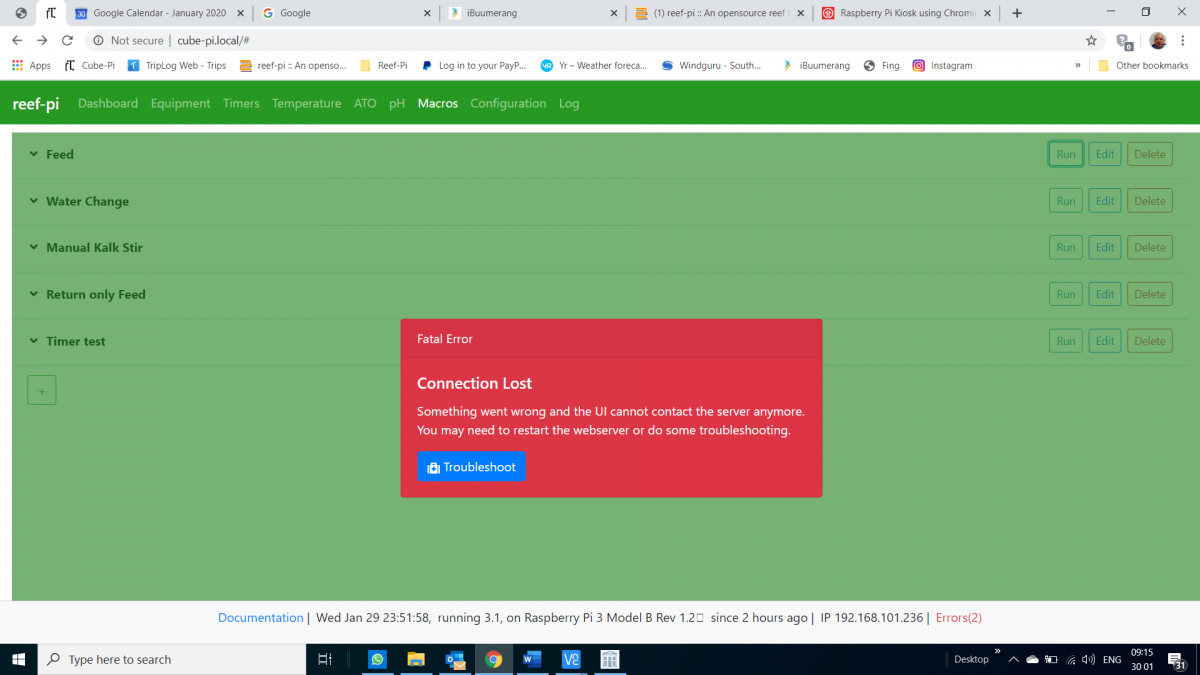
I thought it was WiFi related, so waited a while and tried various devices and all the same thing. Then I discovered that I could go to the equipment tab and control individual equipment directly without getting the error. Try "Feed" macro again, same error. Try run other macros, no error.
Obviously sleeping on this problem has led to an epiphany, because within minutes of waking up this morning, I remembered something. Step one in my "Feed" macro is to turn temperature control off. Yesterday's temp probe issue had me delete my main temp control and re-configure it - renaming it in the process. This made the macro point to a temp control that doesn't exist any more. I fixed the macro by telling it the correct temp control and problem solved.
So the issue was entirely of my own making, but maybe a more relevant error message would make it easier for people to troubleshoot the issue when faced with a similar mistake.





















