Very nice!!!On another note. I have fully 3d printed a rollermat that is now controlled by Pi.
right now I’d like setup it up a timer to activate the motor until I get the float switch fully dialed into position.
Follow along with the video below to see how to install our site as a web app on your home screen.
Note: This feature may not be available in some browsers.
Very nice!!!On another note. I have fully 3d printed a rollermat that is now controlled by Pi.
right now I’d like setup it up a timer to activate the motor until I get the float switch fully dialed into position.
The best I found was user manuals from robotank who has a load of useful manuals in Google docs....Can anyone point me to a guide for the syntax on timers?
Tremendously helpful. Thanks!The best I found was user manuals from robotank who has a load of useful manuals in Google docs....
![]()
Reef-pi User Manual.docx
Reef-pi User Manual May 25, 2020 – Version 1.0 Table of Contents Table of Contents 2 1. Setup Reef-pi – Configuration 4 2. Setup Reef-pi – Settings 5 Advanced Settings 6 3. Setup Reef-pi – Telemetry 7 Adafruit IO Logging 7 Email Alerts 8 4. Setup Reef-pi – A...docs.google.com
The information you want is in there....
![]()
![]()
Id like to make one, have you posted the files on thingiverse or how can I get a hold of the files. Would also love to know about the dimensions, I have a small sump but would love to figure out how to incorporate it into my setup.On another note. I have fully 3d printed a rollermat that is now controlled by Pi.
right now I’d like setup it up a timer to activate the motor until I get the float switch fully dialed into position.
I have not yet. It has only been on my tank for a few days. The print was also rather large about the size of shoebox once assembled. Most components were printed on my sidewinder x1, as the parts were too large for the prusa.Id like to make one, have you posted the files on thingiverse or how can I get a hold of the files. Would also love to know about the dimensions, I have a small sump but would love to figure out how to incorporate it into my setup.
Thanks
Bummer I have a smaller 3d printer but I would still be interested in the files since I would like to try to scale things down for my nano tank, looks like something that would be neat to play with over the winter. Even if I can get the stl files I can chop and slice things up, once you have it fully operational would be nice to see all the details. I would probably just use it on a timer, would be a simple path and probably work most of the time.I have not yet. It has only been on my tank for a few days. The print was also rather large about the size of shoebox once assembled. Most components were printed on my sidewinder x1, as the parts were too large for the prusa.
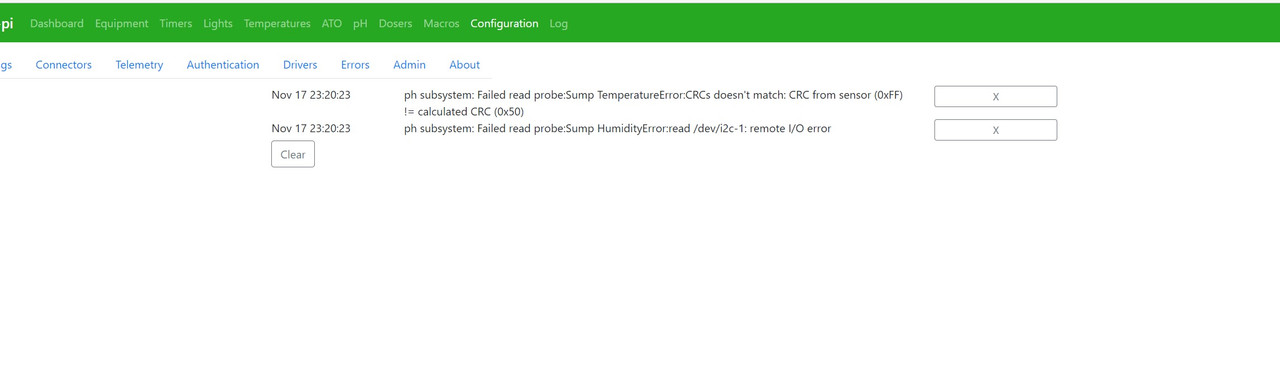
Haha! I didn't catch the irony of that error message earlier! Nonetheless, I still have not figured this out, which means my graphs can't be reset and I can't really tell the regularity and the length of time the pump is running at a glance...Sorry to Jest but this error message sort of makes it sound like your ATO bucket is empty. lol Anyways hopefully figure it out.
Man!! I'm so dismayed. I was going through the manual, put all my credentials in, hit update. Then reboot and my pi froze, turned off and never turned back on. I just have the red power led come in. Nothing with the activity light. I tried 3 different ad cards, different power cords. I read about the polyfuse, so I'll let it sit for a few days, but man that sucked!Tremendously helpful. Thanks!
Is there any chance you could elaborate on how you are pulling the switch to ground? I have a different feeder I want to use but I need to figure out how to bypass the manual feed button by pulling it to ground via reef-pi.My Eheim went for a swim recently so I popped it open after doing a full wash and dry cycle. Still works.
You’ll want to signal the K1 or K2 buttons, in the picture orientation left to right. The edge of the board is battery ground and the inner button contact should be brought to ground to activate.
![]()
Thank you, I'll definitely take a look at getting a transistor, unfortunately my pi went down after trying to reboot. I cant get any activity out of it and I've tried 3 different sd cards, all of which I know to work. Kinda at a loss on what happened to itYou’re welcome ! Those relay boards can be a little tricky, you need to supply them their VCC (for me 5V), GND and the 8 signal pins. The relay actually activates when the Input Pin is connected to GND and can sink around 5mA.That’s why you should use a transistor, be it a n-MOSFET or npn transistor. You actually don’t even need the pull-up resistors I have used there, since the signal is a current, not a voltage.
free image uploadNice IC, if I had known the PCA9507 before I would have used it instead of my current solution.I've done some more test; the problem seems to be the cable (even if during my test on breadboard with double lenght cable everything works fine) I'm now using PCA9507 to expand my I2C line, what IC can I use to improve the cable run?
Thank you for your answer, I'll try LTC4311 and shielded cable :)Nice IC, if I had known the PCA9507 before I would have used it instead of my current solution.
I'm using an Adafruit ISO1540 to isolate my Pi's 3.3V against the I2C's 5V. Currently that's slightly stupid, because both are fed by the same 5V DC/DC converter :grinning-face-with-sweat:
Afterwards I hook up my SDA/SCL lines to a USB socket and latch an Adafruit LTC4311 I2C extender onto it. It basically does what your PCA9507 does a swell, it is a dynamic pull-up which shorts the lines to VCC, exactly what the PCA9507 has on the A-side. Everything is connected using header pins and header cables, as you can see in my build thread.
So the PCA9507 should be fine, if you have a good connection and cables. Personally I'm using shielded USB-A cables. Not the cheapest option, but it seems to work. I can get a seemingly stable I2C connection to my SCD30 over 1m distance.
I would suggest to check shielded cables, like a Ethernet cable and to try placing the PCA9507's A-side onto the side of the cable leading to the sensor.

Maybe start a new thread and if possible post some pictures of the internals and we can maybe point out some things to test it. I can explain how to pull it to ground but we need to figure out how the feeder works and where you would make the connections.Is there any chance you could elaborate on how you are pulling the switch to ground? I have a different feeder I want to use but I need to figure out how to bypass the manual feed button by pulling it to ground via reef-pi.
Thanks in advance......
Wow I can't believe that's priced how it should be. Based on the ruler my guess is it's analog, unfortunately the Pi doesn't have any analog pins so if you wanted to know the actual water level you would need to add a ADS1015 ADC to your system, reef-pi has a driver for it. Of course you would need to figure out the wiring, if someone hasn't done it before on a forum it could be difficult getting it right. If you were successful you would get an analog value from the ADS1015 which you would use as a reference. If it is analog you could still connect it to a digital pin on the Pi and it would either read on or off but anyone's guess as to where that might be on the ruler.
As @robsworld78 mentioned it’s not straight forward if you don’t know the internals. E.G. what contact is ground, VCC and data lines. Next, what kind of data is used, e.g. is it a digital interface like I2C or SPI, is it semi-digital giving a PWM signal or an analog voltage.